Our Verdict
The StoryLearning App writes short stories at your level, in genres you pick. Word and sentence lookups make real reading possible early, saved words come back in later stories, and it can read each story to you. The design is plain for now, but a facelift is coming.
Pros
- ✓Stories at your level, in genres you pick
- ✓Tap any word for meaning, form and conjugation
- ✓Press and drag for a full sentence translation
- ✓Saved words get woven into your next story
- ✓Audio for every story, so you can listen while you read
- ✓Short feedback after each story tunes the next one
- ✓One subscription covers every language
Cons
- ✗The story audio is generated, not recorded by a person
- ✗Dragging over words to translate a sentence feels fiddly
- ✗"Beginner" starts at A2, so it's not for day one
- ✗Plain design for now, though a facelift is coming
- ✗A little more than a typical app subscription
- ✗Reading only, so it won't teach you the basics on its own
How I tested it: Tested in the web app on desktop, in Spanish (Spain) at beginner level, in September 2026. I took the level check, read a full five-chapter story and went through vocabulary and settings.
Prices checked September 2026, US store.
The StoryLearning App is a reading app from Olly Richards, the person behind the StoryLearning courses. It writes short stories in the language you're learning, pitched at your level.
You tap words you don't know, drag across sentences you can't follow, and the app keeps adjusting to you.
Is it any good, and do you need it if you already have a StoryLearning course? Let's find out.
I'm a StoryLearning affiliate, so I may earn a commission if you sign up through my links. The review and the rating are my own.
What you get
It's a web app. You open app.storylearning.com in a browser, on your phone, tablet or computer, and there's nothing to install.
At setup you pick a language, your reading level and a few genres you like. Then it checks your level and starts writing stories for you.
There are twelve language options right now, including Spanish from Spain and Latin American Spanish as separate choices. Danish, Norwegian, Swedish and Brazilian Portuguese are marked beta.
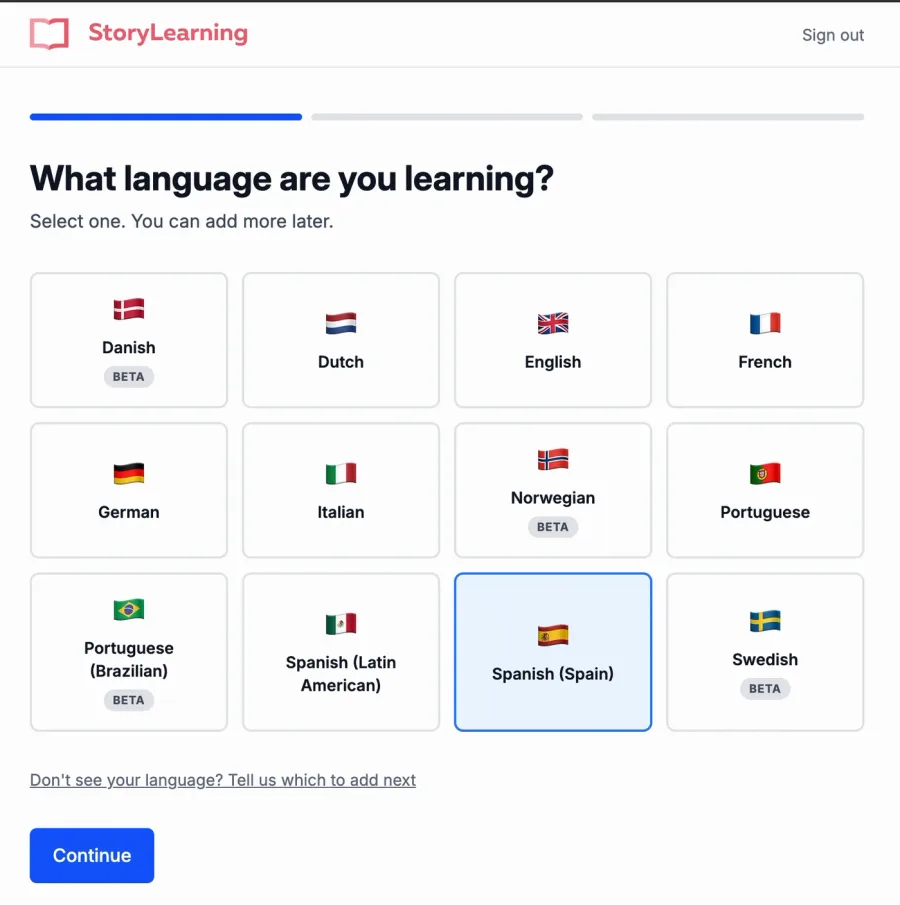
The screenshots in this review are from an early version of the app, taken in September 2026. StoryLearning is working on a new design, so it may look different now. I'll update them once it ships.
The level question is worth a closer look.
"Beginner" here means you can read short, simple texts, which the app labels CEFR A2 to B1. Intermediate is B1 to B2, and advanced is B2 to C1.
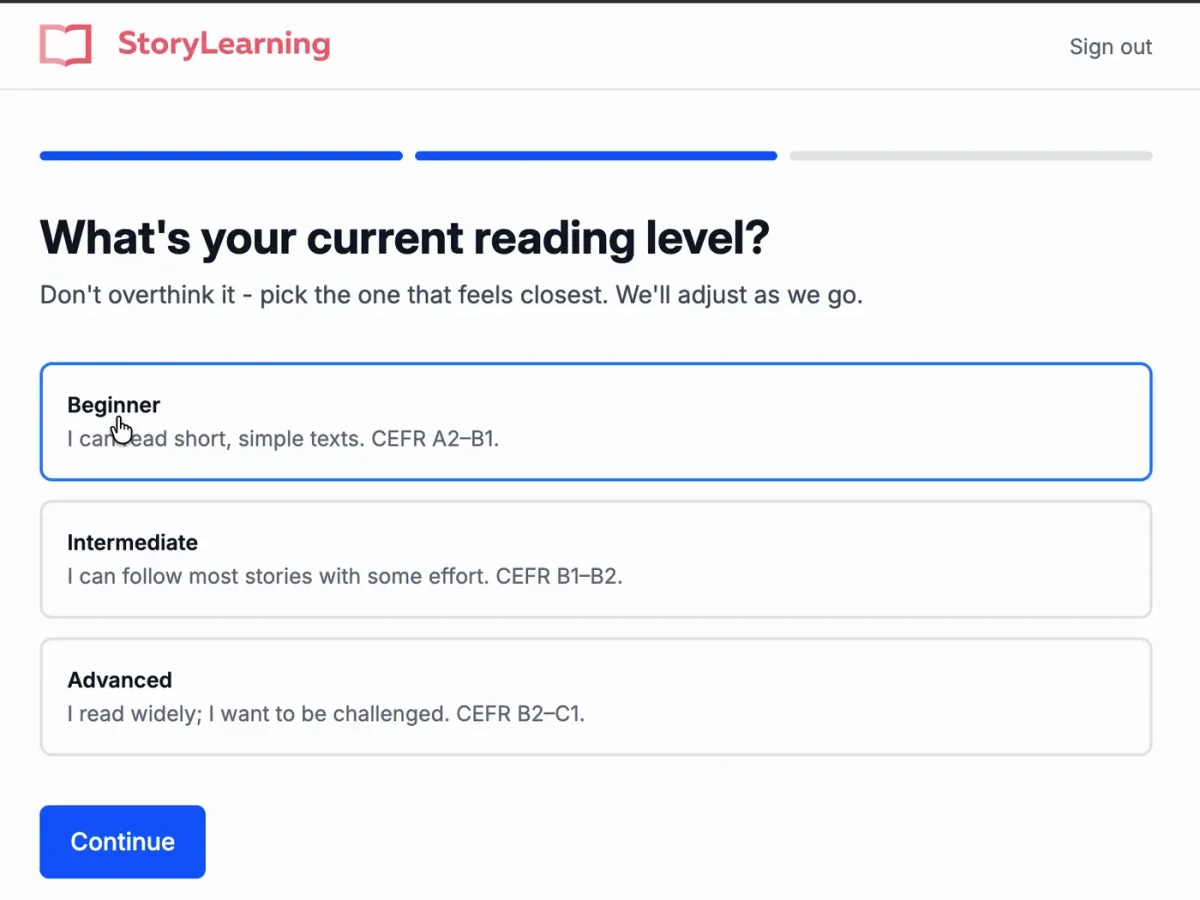
So it's not for your first week. You'll want a few months of basics behind you before the stories make sense.
For genres, I went with mystery, thriller, adventure and crime. You can also pick romance, fantasy, science fiction and contemporary fiction.
The level check
Before your first real story, the app gives you a short one to read all the way through. Mine was about a family robot called ARIA.
At the end it asks how the level felt, from far too easy to far too hard. It uses that answer to set up your first proper story.
I read it out loud as I went, and as a beginner in Spanish I could follow most of it. That felt about right.
Reading your first story
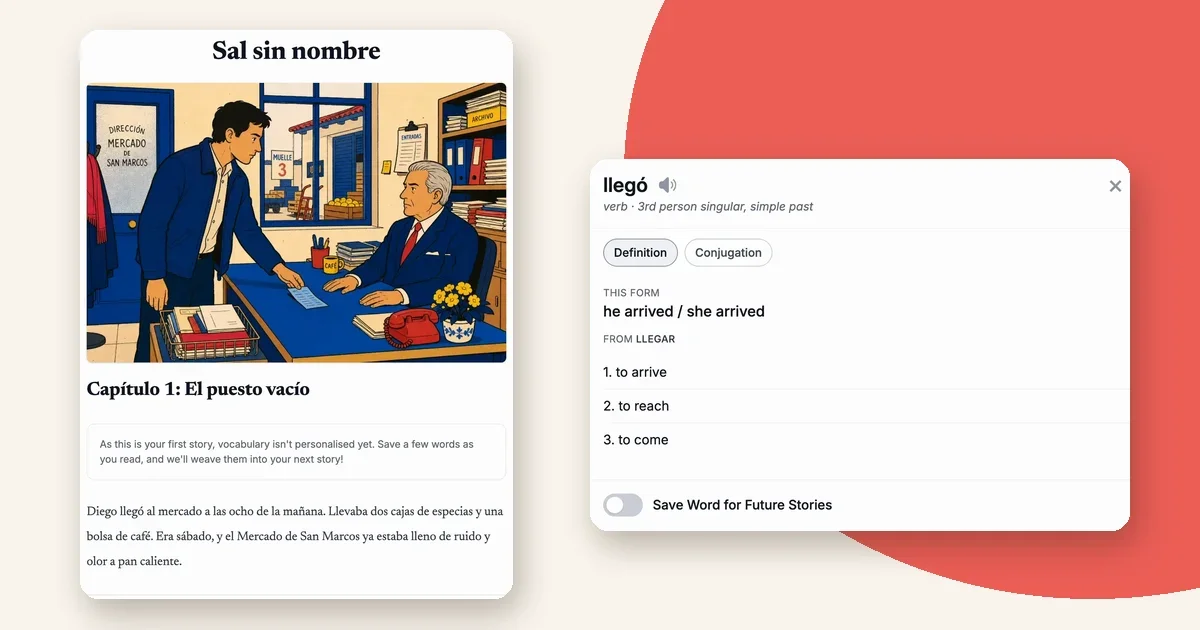
My first story was a mystery called Sal sin nombre, about a spice seller at a busy market whose neighbour's stall is suddenly empty.
It came in five short chapters, each with an illustration at the top.
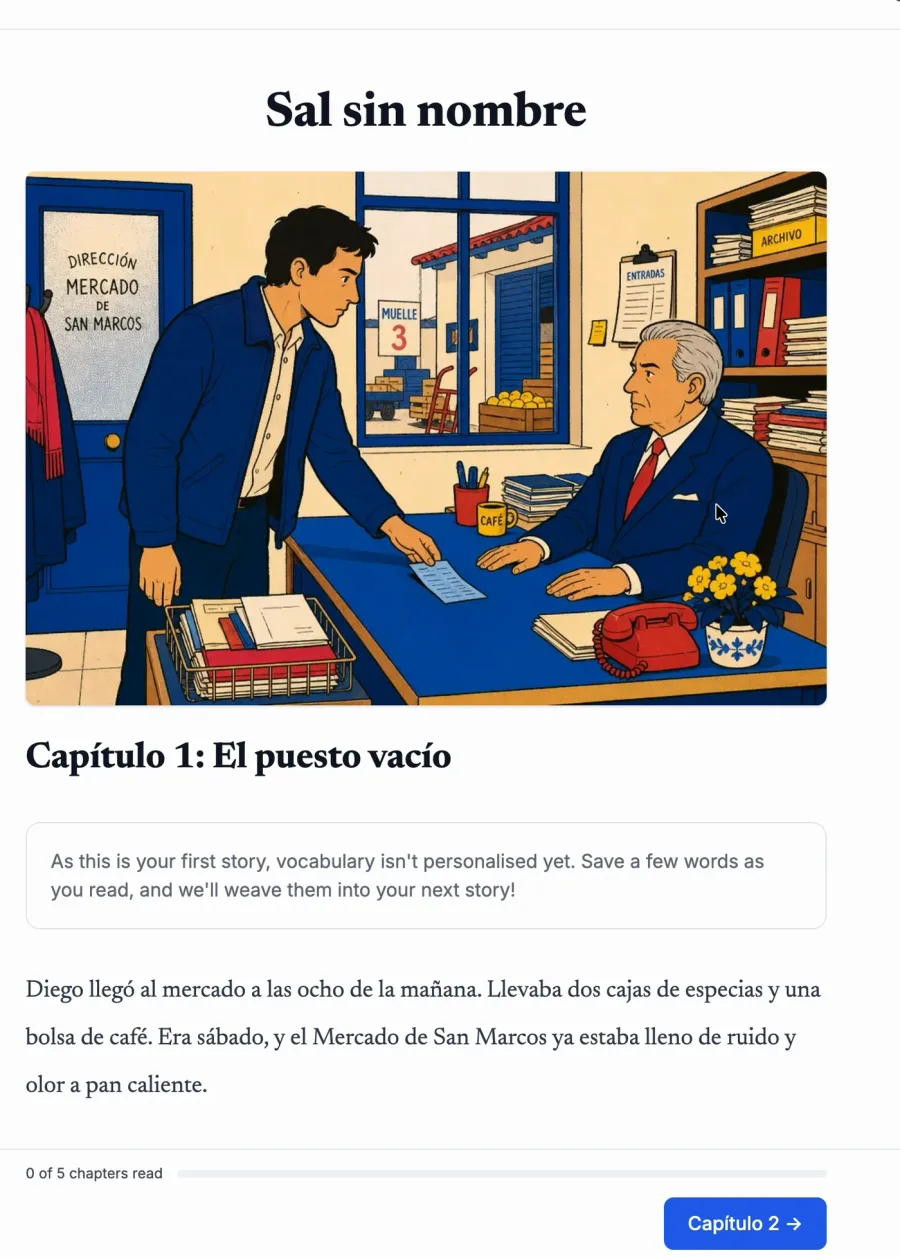
The note at the top explains that your first story can't use your vocabulary yet, because you haven't saved any. Save a few words as you read and they'll show up in the next one.
Tap a word, drag a sentence
This is where the app earns its keep.
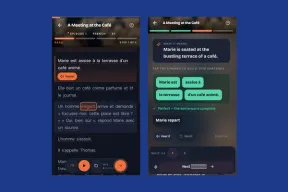
Tap any word and a card pops up with the meaning, the part of speech and the exact form. For llegó it told me it's the third person simple past of llegar, plus a list of meanings.
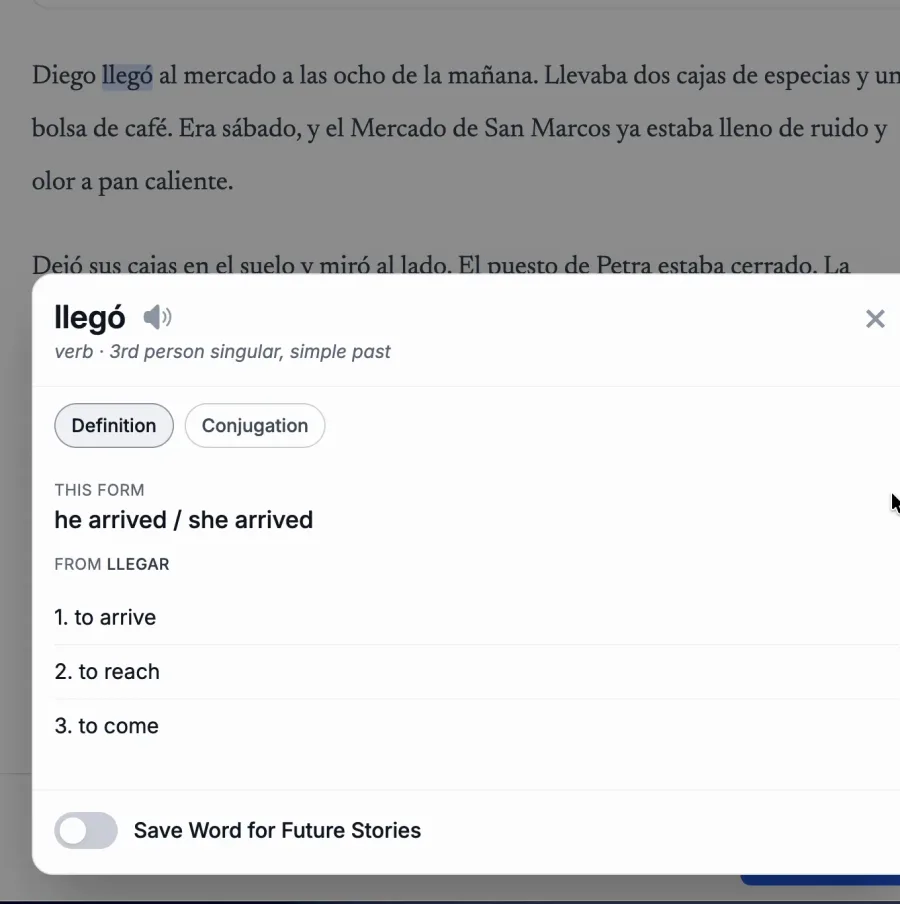
There's a conjugation tab, a button to hear the word, and a toggle to save it for future stories.
Sometimes you know every word and still can't work out the sentence. For that, you press and drag across the sentence to get a full translation.
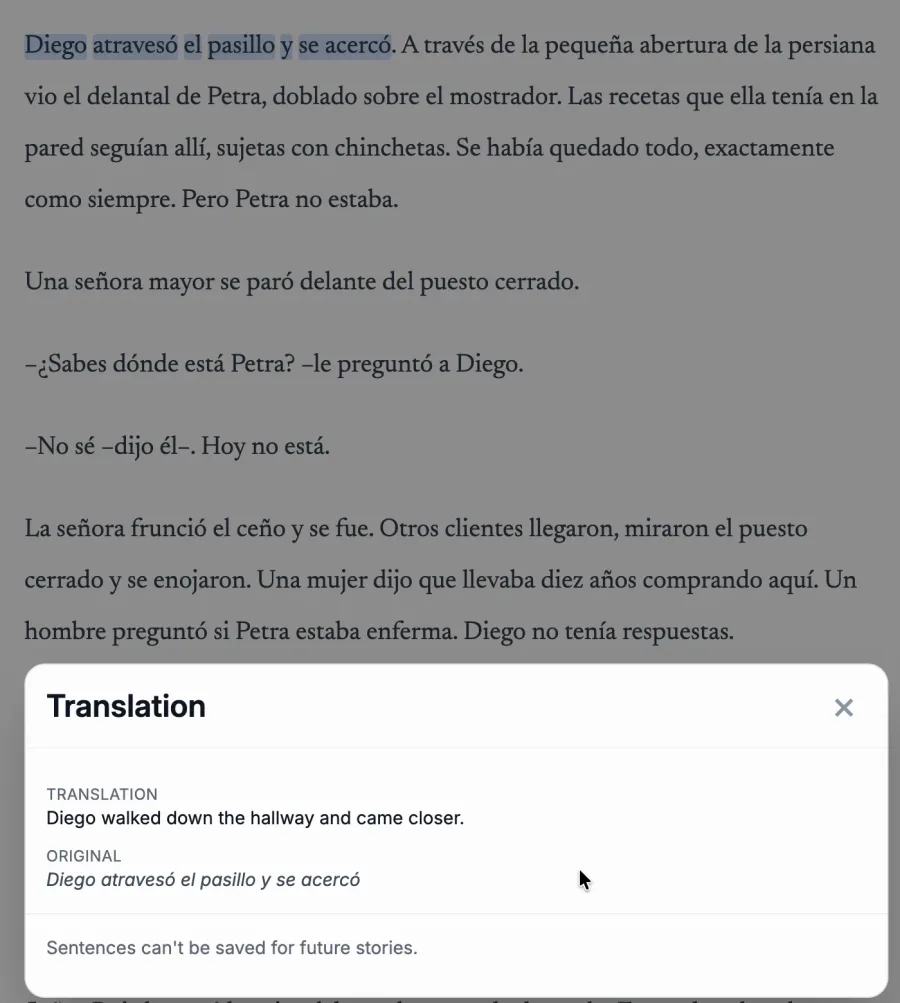
It works well, but dragging across words felt fiddly to me. I'd rather tap once and have it grab the whole sentence. I'm sure you get used to it.
You also can't save sentences, only single words.
Strict mode
If the lookups get too tempting, there's a strict mode. It turns off word and sentence translations until you finish the story, though you can still save words.
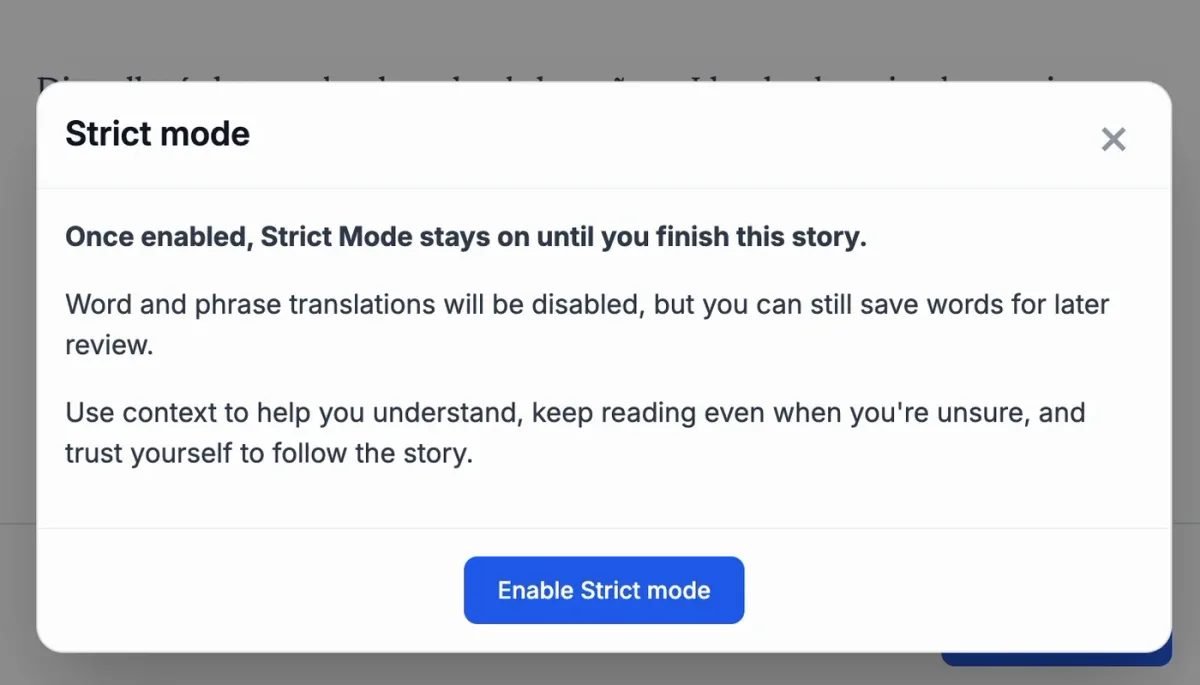
I think that's a smart option for intermediate learners who lean on translations too much.
Your words come back
Every word you save goes into a vocabulary list, with the form you saw it in and when you saved it.
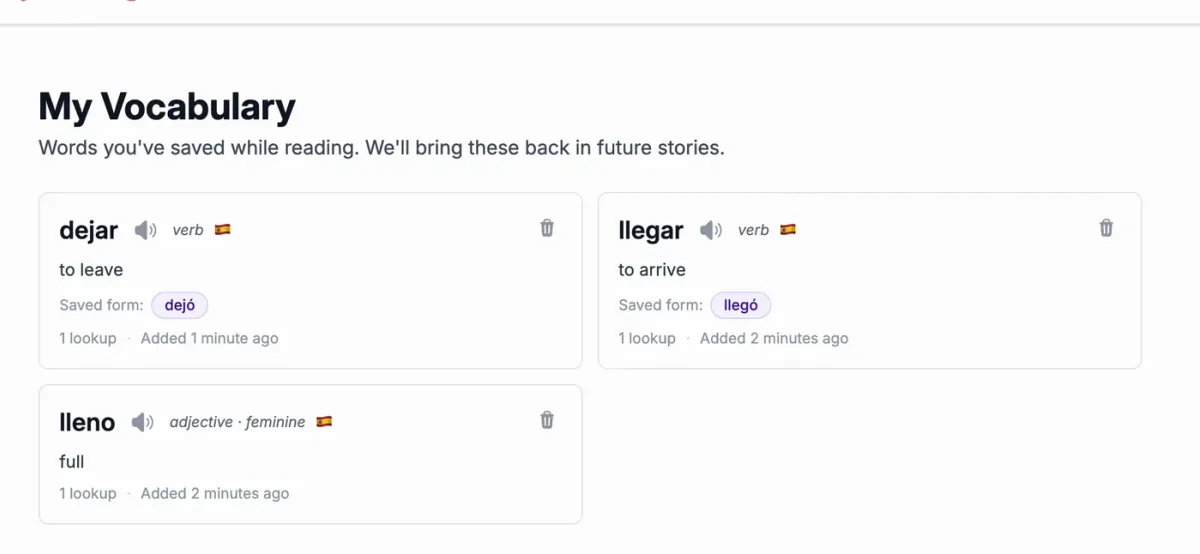
The app says it brings those words back in future stories. That's a nice idea, because meeting a word again in a new context is how it actually sticks.
I only finished one story in my test, so I haven't seen it do this yet.
After each story
When you finish, you get a short feedback form. How much you enjoyed it, how hard it was and whether it was too long or too short.
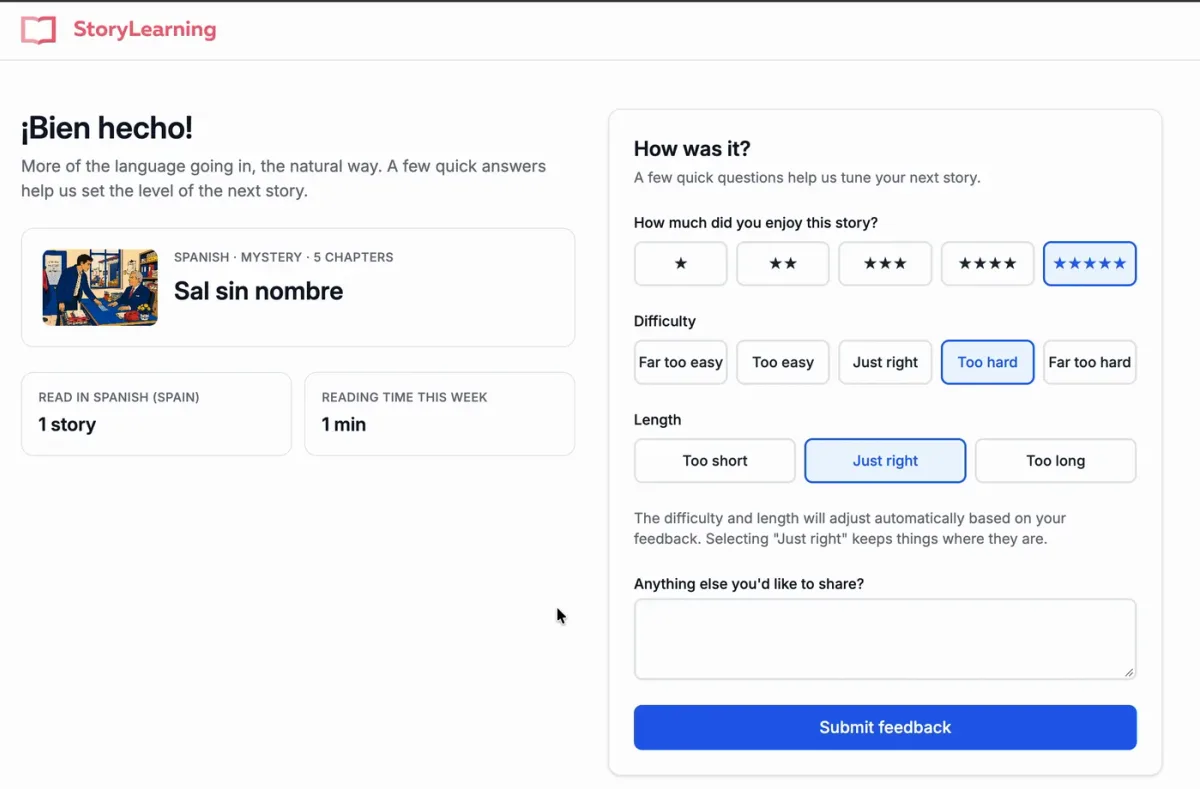
Your answers adjust the next story. You can also change your level by hand in the settings.
Home screen and settings
The home screen shows today's reading time, your weekly total and a button for your next story.
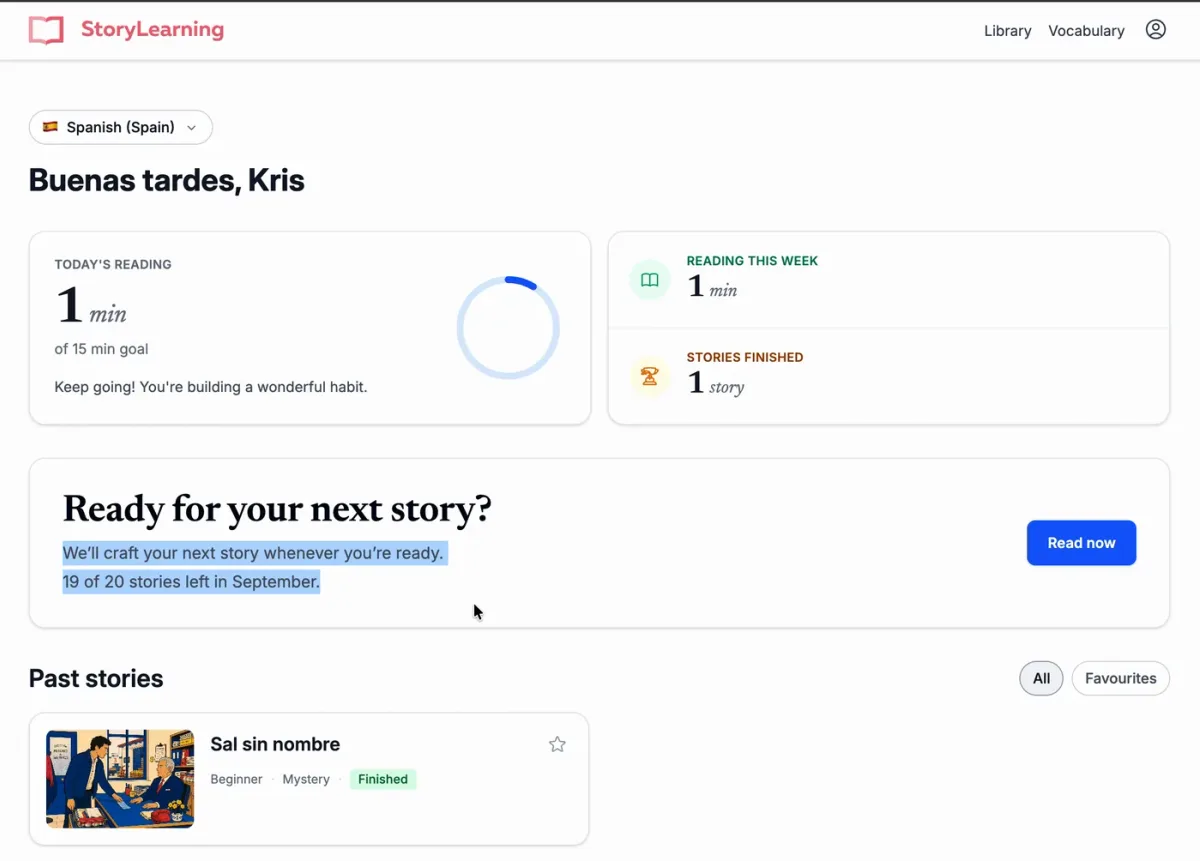
You get 20 stories a month to begin with, and StoryLearning may raise that later. It's plenty for most people, at about five a week.
In the settings you can set a daily reading goal from 15 to 60 minutes, change your level and genres, and adjust how the text looks.
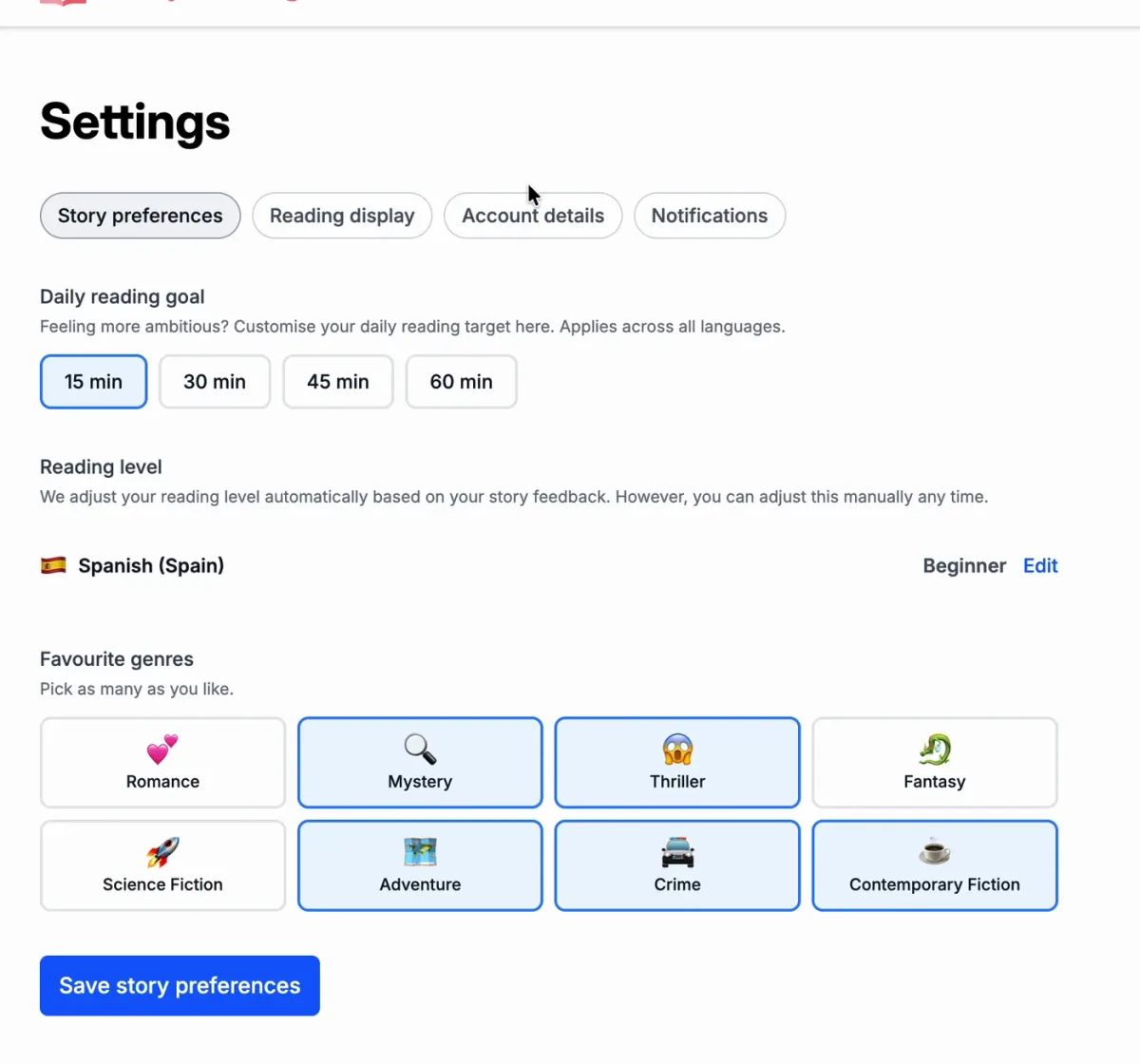
It can also email you a weekly recap and reading reminders.
Listening along
The app can also read the story to you.
The audio is generated, and it's good. Definitely good enough for an app like this.
So you can listen while you read, which is great for pronunciation and for your ear.
Design
The app looks fairly plain right now. StoryLearning says a design facelift is coming soon.
Functionally, though, it already works as intended.
Where do the stories come from?
The stories are written entirely by AI, using StoryLearning's own prompts and instructions to match the StoryLearning method and your level.
That's how it can write a new story just for you every time. My only real worry is quality control, because you're trusting the AI to get the language right every time.
Do you still need a StoryLearning course?
I'd say yes. The app is a fantastic companion to courses like Spanish Uncovered, but it won't replace them, at least not in its current form.
A course holds your hand. You learn the fundamentals, there are teacher videos, and it's more organised. I've reviewed French Uncovered and German Uncovered too. StoryLearning has courses in many more languages, and you can see them all here.
The app gives you a lot of reading practice, ready to go, at your level. That's a great thing to add on top.
How it compares
The closest alternatives are a StoryLearning course and LingQ, the other reading tool I'd point you to.
- StoryLearning App: stories written for your level, tap and drag lookups, and audio for every story. $15 a month.
- StoryLearning course: one structured course built around a story, with full audio, grammar and teacher videos. A one-off payment per course.
- LingQ: a reading library plus anything you import, with audio on most lessons. $14.99 a month.
If you want grammar and structure, get a course. If you want reading at the right level with no setup, the app is the easier pick.
Pricing
It's $15 a month, or $135 a year at the founding member rate, which works out at $11.25 a month.
One subscription covers every language, which helps if you're learning more than one.
That's a bit more than most app subscriptions, but I think it's fair. It's about the same as LingQ, and you're getting new stories written for your level and interests every month.
If you stick with it, the yearly plan is the better deal.
Who this is for
- StoryLearning course students who want more reading
- Learners at A2 and up who find graded readers too generic
- Anyone who likes to learn through comprehensible input
Who this is not for
- Complete beginners. Start with a course first.
- Anyone who wants native-speaker recordings rather than generated audio
- Learners who want structured grammar lessons
Learning Spanish and want more options? Here are the best apps for learning Spanish.
Verdict
For reading practice, I think the StoryLearning App is about as good as it gets.
Stories at your level, in genres you like, with a lookup for every word and sentence. It's comprehensible input on tap.
The audio is generated rather than recorded, and the design is waiting on its facelift. But as a companion to the StoryLearning method, it's a huge thumbs up from me.
Try the StoryLearning App and see if the stories hook you.
Frequently Asked Questions
StoryLearning App
Best for: Learners past the basics who want lots of reading at the right level
Get StoryLearning AppRelated Resources
See all →
Dioma
Structured speaking and writing practice with corrections that explain why.
MeloLingua
Graded stories generated to your level, with speaking practice
Fluent Forever App
Flashcard-based language learning app