Our Verdict
A cozy, story based vocabulary app where you act words out with your phone. Genuinely fun and different, but it needs a quiet room and the monthly plan is pricey for a vocabulary supplement.
Pros
- ✓Genuinely different from any other language app
- ✓Acting words out with your phone is fun and helps them stick
- ✓Cozy, calm atmosphere with background music
- ✓First chapter of every story is free, no account needed
- ✓Lots of genres and levels, with new stories every month
Cons
- ✗Many actions need a quiet, private place
- ✗Seven stories today, so the library is still on the small side
- ✗Beginners choose between too much target language and too little
- ✗You can only tap the word you are learning
- ✗Monthly plan is pricey for a vocabulary supplement
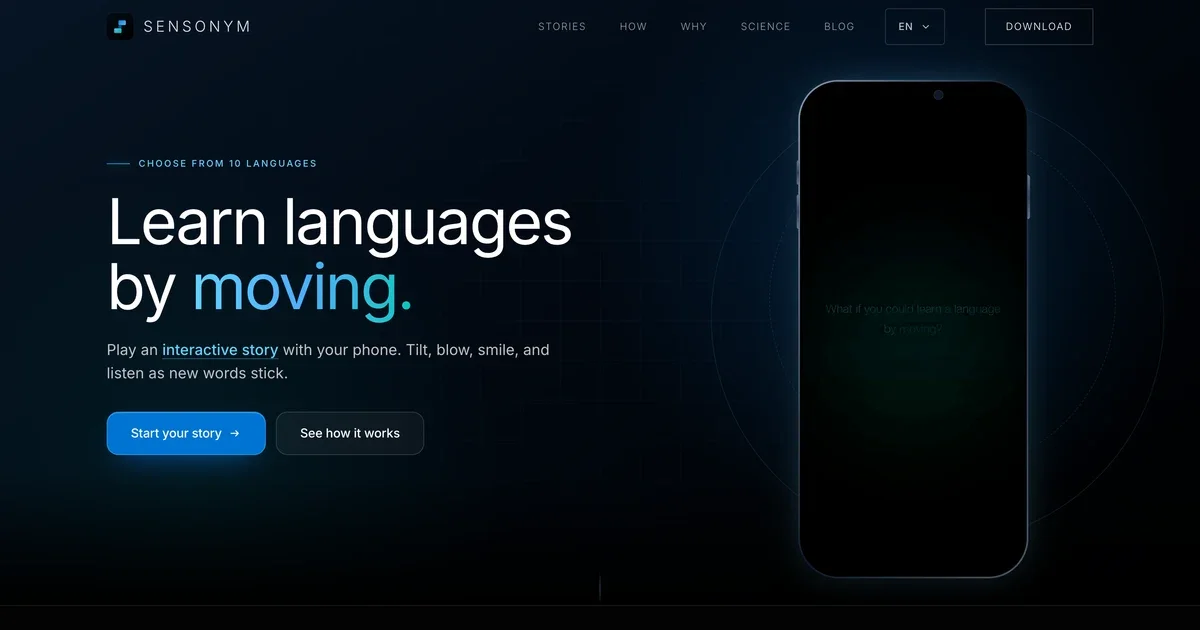
Sensonym is a phone app that teaches vocabulary through short interactive stories. Instead of tapping a flashcard, you act the word out with your phone.
You blow on the screen to cool down hot bread, wipe a dusty counter with your finger, and nod at the camera to say yes.
The idea is that doing something with a word gives you one more hook to remember it by.
Is that a real advantage, or just a gimmick? Let's find out.
Sensonym paid for me to thoroughly review what they offer. The assessment is my own, and a positive verdict wasn't part of the arrangement.
The app is free to download and the first chapter of every story is free, so you can check most of what follows yourself.
What you actually get
Sensonym is a library of short stories, each one built around a small set of new words. A beginner story teaches about 20 to 35.
There's a cozy mystery about an inherited bakery, a thriller in 1963 Berlin, a K-drama in Seoul and a survival story on an unknown beach, among others.
There are seven stories right now, each labelled beginner, intermediate or advanced, and the app promises new ones every month.
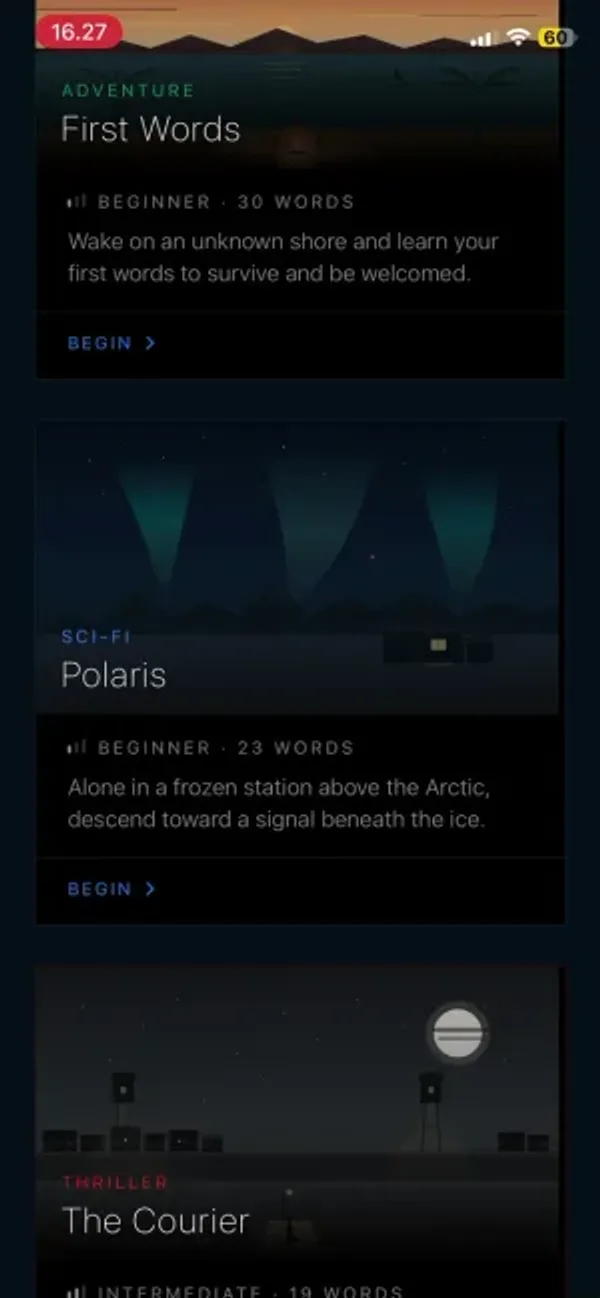
You can learn Chinese, French, German, Indonesian, Japanese, Korean, Malay, Spanish, Turkish or English. The app language and the learning language are picked separately.
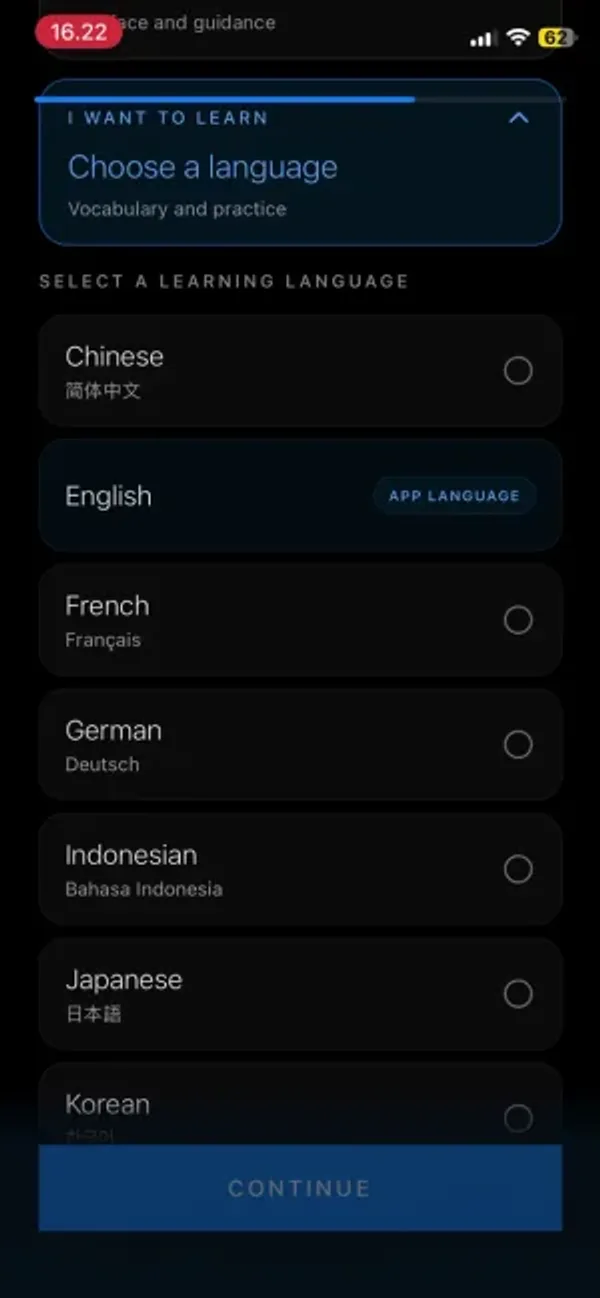
There's no account to create. You open the app, choose your languages and you're straight into a story.
If you want to hear about new stories and languages, there's an updates signup on the Sensonym website.
What a story looks like
I'll be honest, I was pretty skeptical going in, because on paper it sounds like a gimmick.
First impressions were good, though. It's a very cozy app, with quiet background music and a slow, calm setting.
Keep the sound on, because the music does a lot of the work.
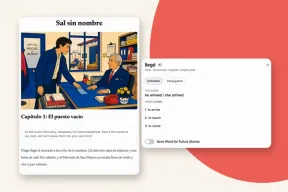
The story moves forward a line or two at a time. When a new word comes up it glows, and you tap it.
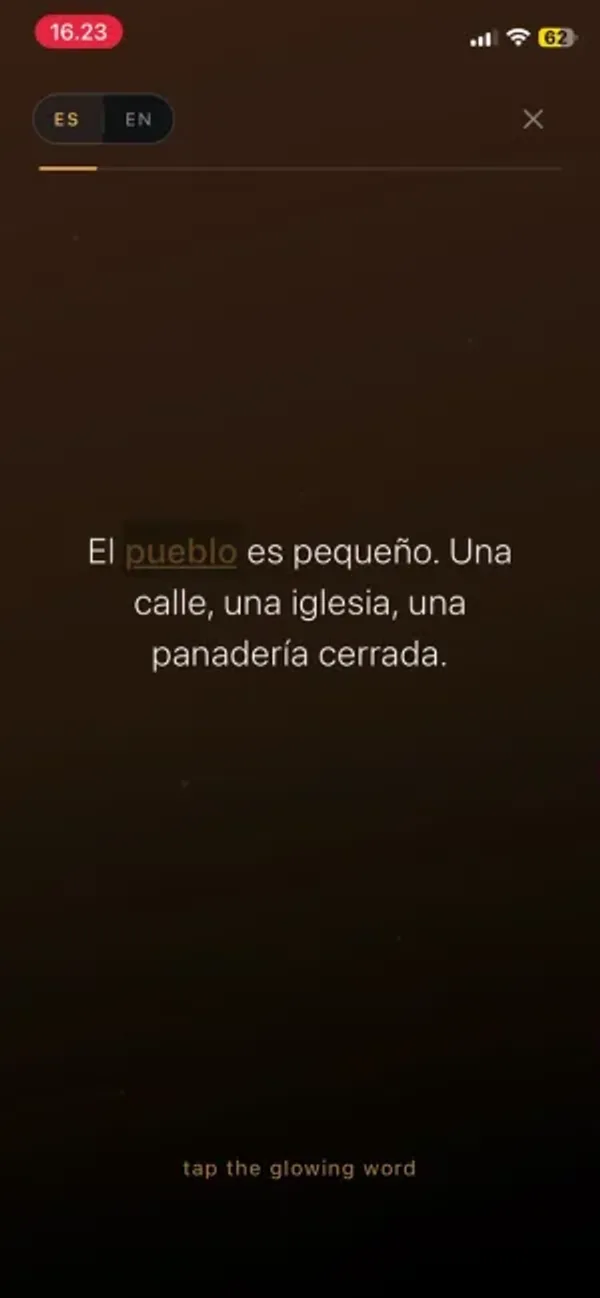
That opens a card with the word, the translation, a pronunciation guide and a button to hear it said.
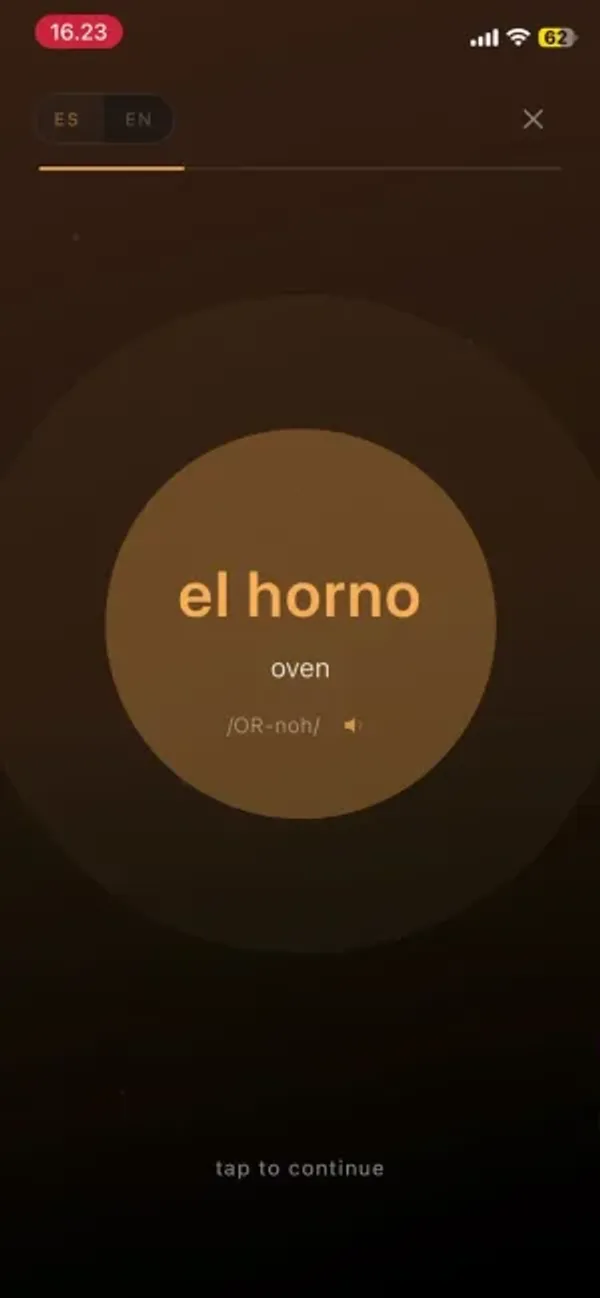
Then comes the physical part.
It actually reminded me of those old text adventure games on the PC. You'd wake up in a dark room and have to type "open door" or "check closet" to get anywhere.
Here, you do the thing with your phone instead of typing it.
The phone becomes the exercise
Across the two stories I played, I had to:
- Tilt the phone towards me to drink from a bottle
- Blow into the microphone to cool down a loaf of bread
- Wipe the screen clean like a dusty counter
- Press volume down to turn down a radio
- Shake the phone to say no
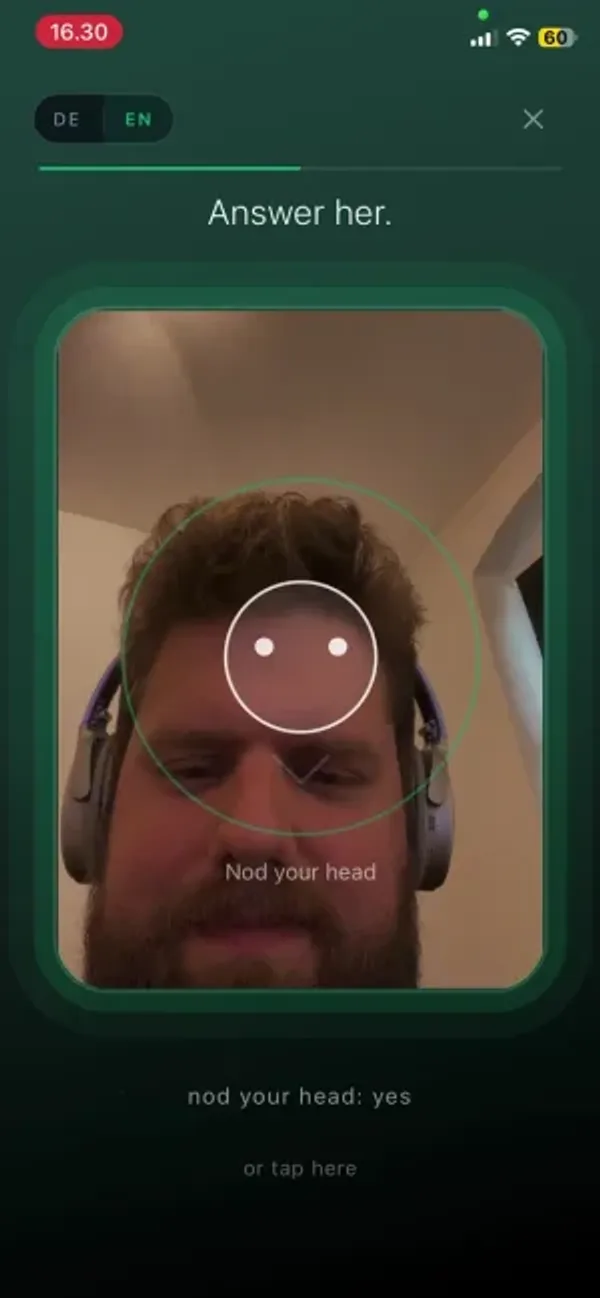
- Nod at the camera to say yes, and smile back at someone
- Drag downwards to follow a character
Sensonym says there are over 40 of these, including clapping, knocking, covering the camera and even plugging in your charger.
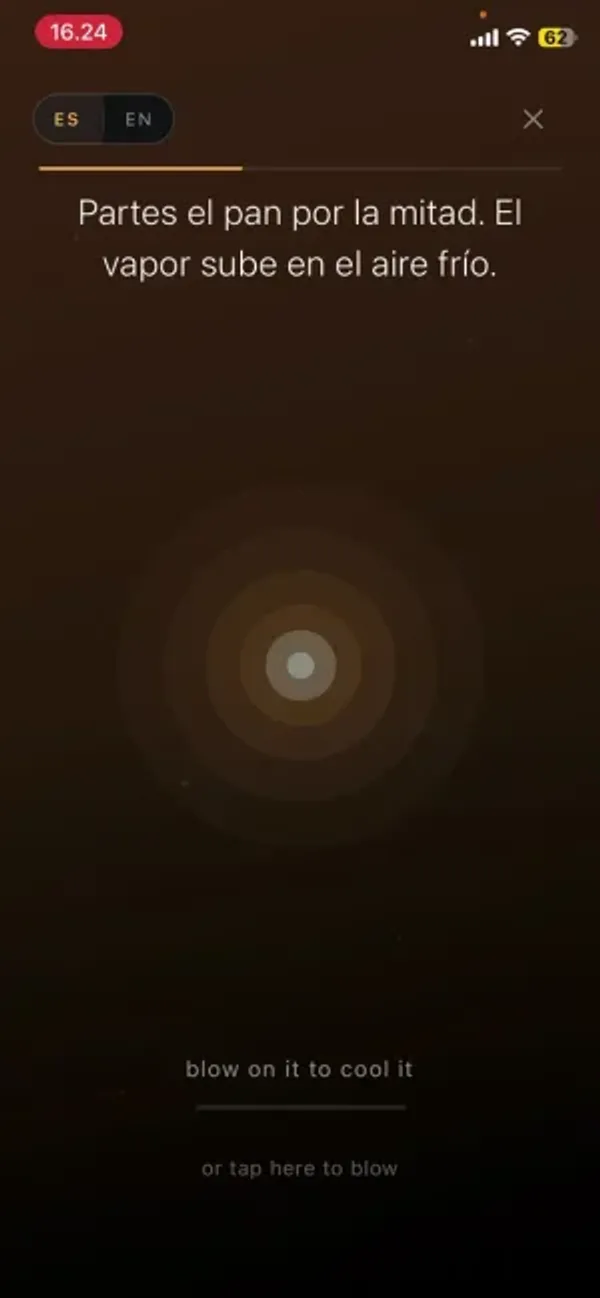
My first reaction was that it's a gimmick. Wiping your screen doesn't teach you what limpiar means by itself.
But the more I did it, the more I came around. It's fun, and it's genuinely different from every other app I've reviewed.
A big part of learning a language is just keeping at it. Anything that makes you want to open the app again is doing something useful.
I also think the sensory stuff helps, because a word you did something with is easier to find again than one you only read.
You'll need a quiet room
The catch is that plenty of these actions need your camera, your microphone or your voice.
So you're probably not doing this on the train or the bus to work. Blowing on your phone and nodding at it in public will get you some looks.
To be fair, several actions have an "or tap here" fallback. But the physical bit is the whole point of the app, so tapping through loses most of what makes it work.
If pointing the camera at your face feels odd, Sensonym says camera, microphone and motion data stay on your phone and aren't stored.
After each chapter
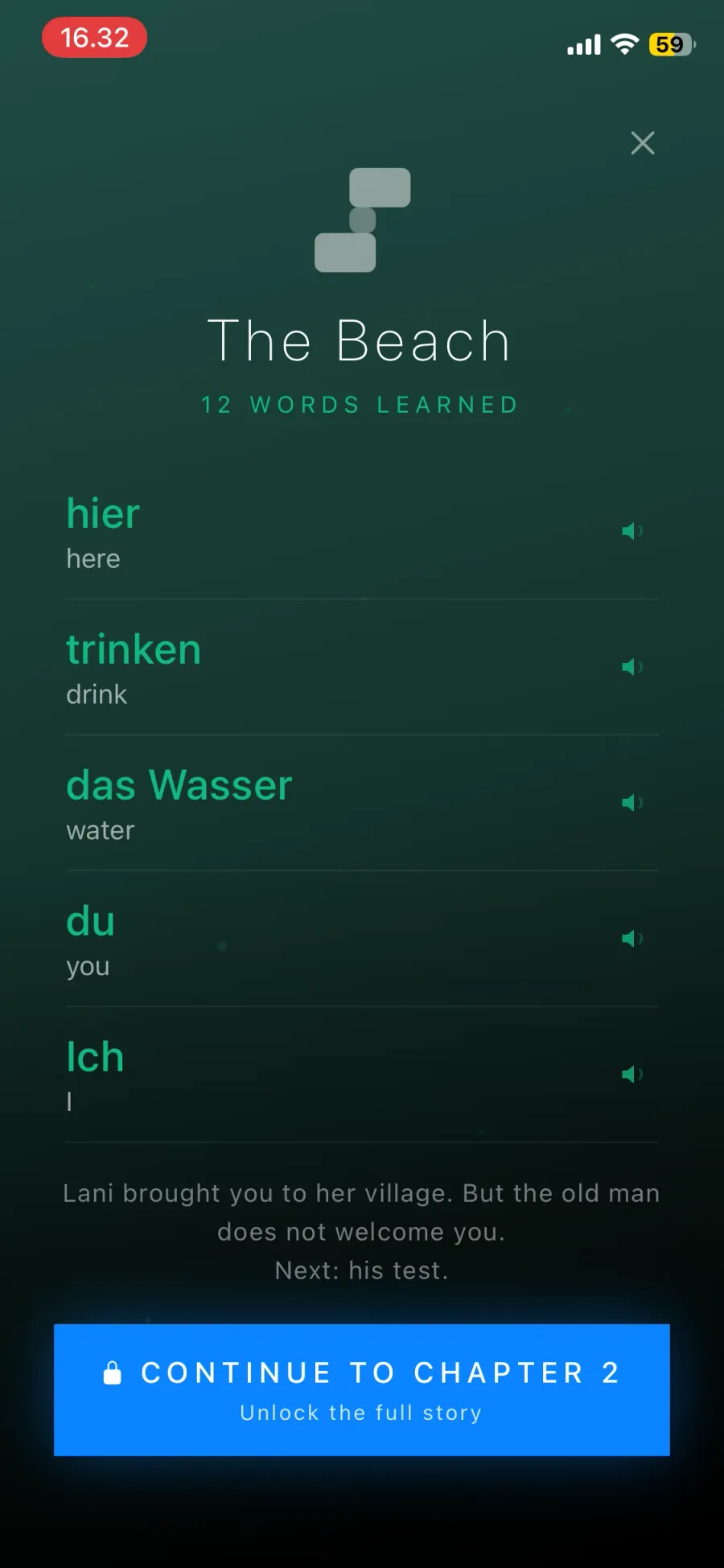
Each chapter ends with a quick review of the words you just met.
It mixes things up. Pick the meaning, pick the word, match or no match, and a few where you only hear the word with no text at all.
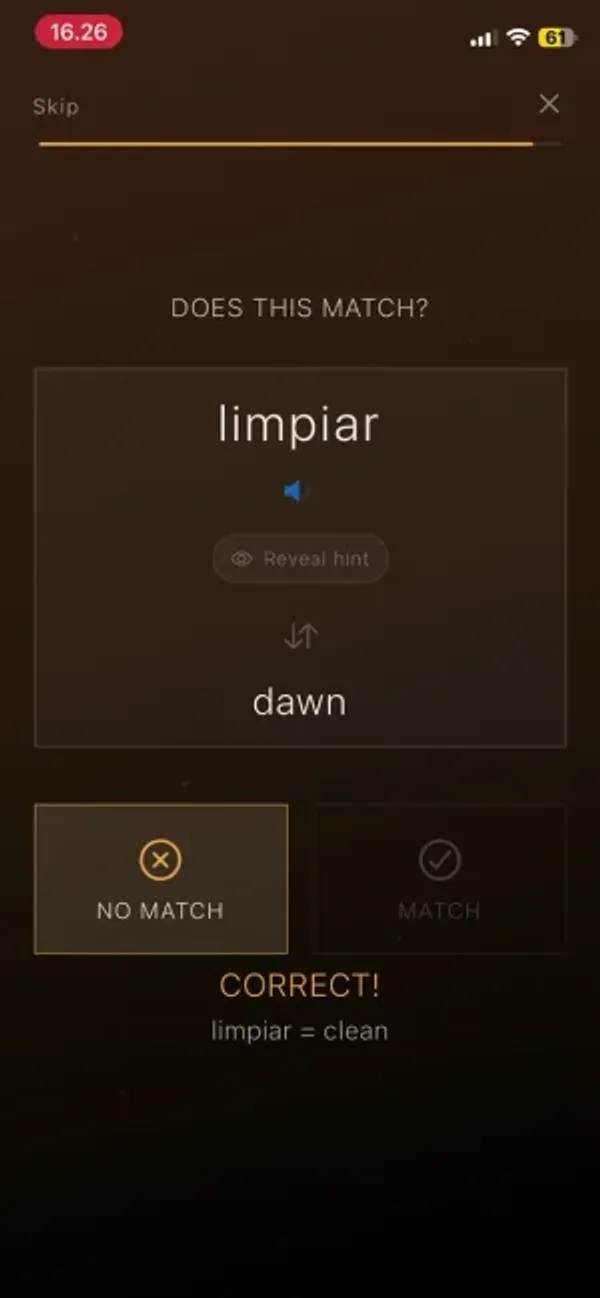
It's simple, but it does the job. Then you get a recap of the chapter's words, each with audio.
Spanish or English? Neither is quite right
This is the part that bothered me most, though some of it might be preference.
When you start a story, you choose whether to read it in the language you're learning or in your own.
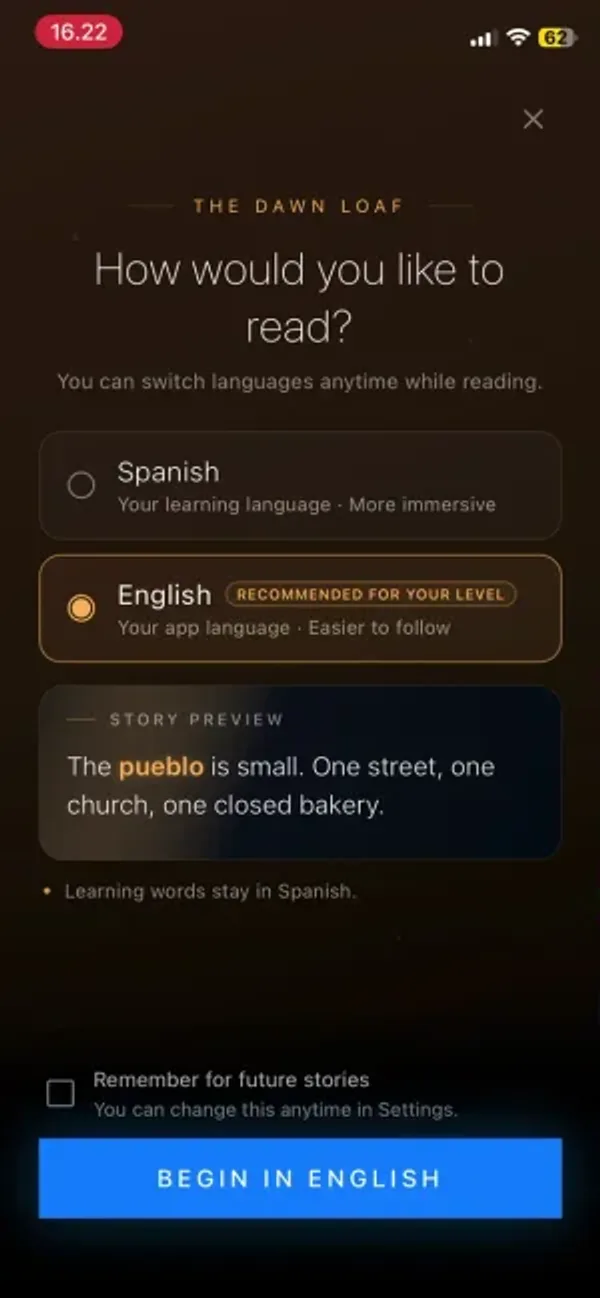
I tried both as a beginner in Spanish.
In full Spanish, I couldn't understand enough to follow along and stay interested. For a beginner it was too much.
In English, only the words you're learning stay in Spanish. So a whole paragraph is in English, with one Spanish word in it.
At that point I felt like I was reading an English story with the odd Spanish word thrown in, which isn't nearly as effective.
It doesn't help that you can only tap the word you're learning right now. You can't tap any of the other Spanish words to see what they mean.
It's a small oversight, but it's the one thing that would fix the full Spanish mode for beginners.
You can flip between the two with a toggle at the top of the screen. It might also work better from intermediate level up.
But for a beginner, neither option felt right to me.
The voices
Sensonym uses synthetic voices, which is pretty normal for apps now.
If you listen for it, you can tell they're generated. There's an evenness to the delivery that a person wouldn't have.
But this is the latest generation of the technology, and it's got very good. Most of the time it is genuinely hard to tell these apart from a real recording.
That matters more here than in most apps, because so much of Sensonym runs on atmosphere. Flat audio would undercut the whole thing, and it doesn't.
Pricing
The first chapter of every story is free. There's no trial clock and no card, which is a really good way to try it.
To keep reading you need Sensonym Pro. In the US it costs $9.99 a month or $49.99 a year. In Denmark I was shown 89 kroner and 399 kroner. The app shows prices in your own currency.
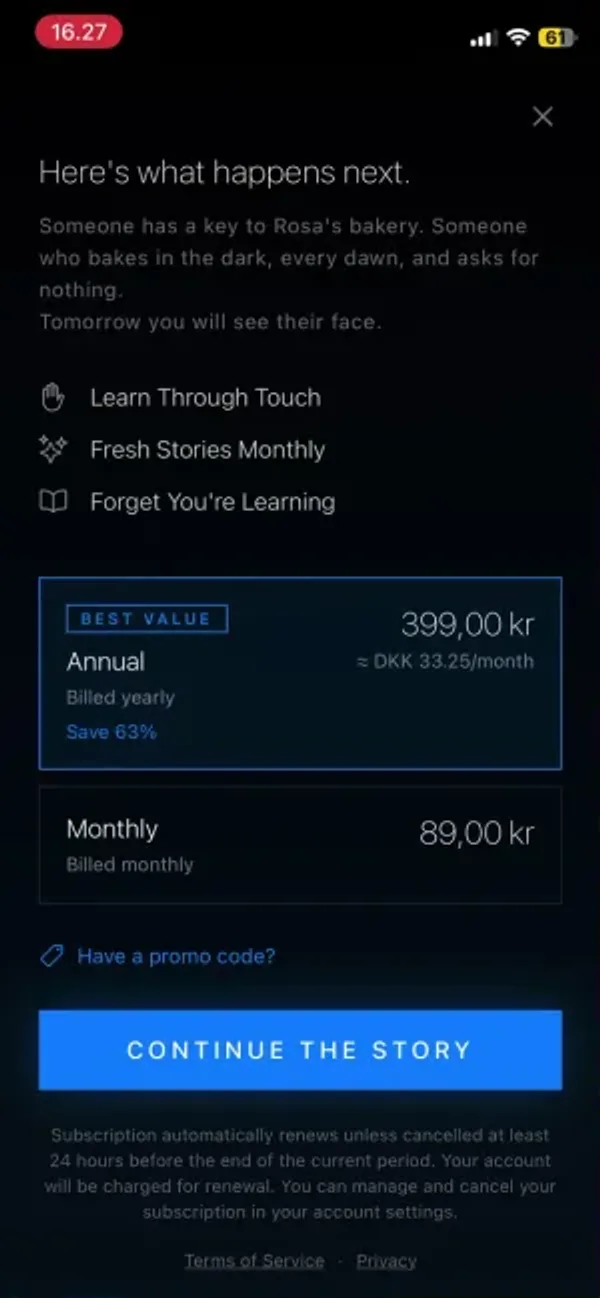
The monthly price is ambitious. $9.99 is about the most I'd want to pay for any language app, and this is a vocabulary supplement rather than a full course.
Across the app subscriptions I've reviewed, the going rate on an annual plan is somewhere around $5 to $10 a month.
The annual plan works out at a little over $4 a month, which is on the cheap side for an app.
If you like the free chapters, I'd skip monthly and go for the year.
Who this is for
- Beginners who find flashcards boring and want something that makes them come back
- Anyone who enjoys stories, cozy games or old text adventures
- People who mostly study at home
- Learners who want to try something genuinely new
Who this is not for
- Anyone who mostly studies on the commute or in public
- Learners after lots of reading. It's a vocabulary app, and each story teaches a few dozen words.
- Anyone who objects to synthetic narration on principle. The voices are good, but they are generated.
- Beginners who want to tap any word they don't understand
Verdict
Sensonym is one of the most unusual language apps I've tried.
It's cozy, it's fun, and the physical actions kept me playing longer than I planned.
I went in expecting a gimmick. I came out thinking it's a fun way to learn your first words, as long as you're somewhere you can blow on your phone in peace.
It has rough edges. Beginners are stuck between too much Spanish and too little, and the monthly plan is pricey for a vocabulary supplement.
But the first chapter of every story is free. Download it, turn the sound on, and see whether it clicks for you.