
Our Verdict
Chatlator turns chats with people you already know into practice, with flashcards, quizzes and AI role plays on top. It's a language coach you don't need to set up. There's some waiting and less for languages like Russian, but it's a pretty good app with high potential.
Pros
- ✓A unique messaging angle: typing in your own language avoids some early frustration
- ✓An AI coach for role plays and feedback, with no setup
- ✓Fun to switch between the different mini games
- ✓Easy to do a little learning every day
- ✓Free on iPhone and Android
Cons
- ✗Waiting: long loading screens, and flashcard audio can take a few seconds
- ✗No human input beyond the chats: translations and lessons are all automatic
- ✗Less for languages like Russian, for now
- ✗You need someone to chat with to get the most out of it
How I tested it: Tested on iPhone in November 2026, learning Russian and then Spanish from English. I set up an account, chatted with one of the co-founders, ran a café role play with Chati, asked it for feedback, then switched to Spanish for the flashcards and quizzes.
Prices checked November 2026, US store.
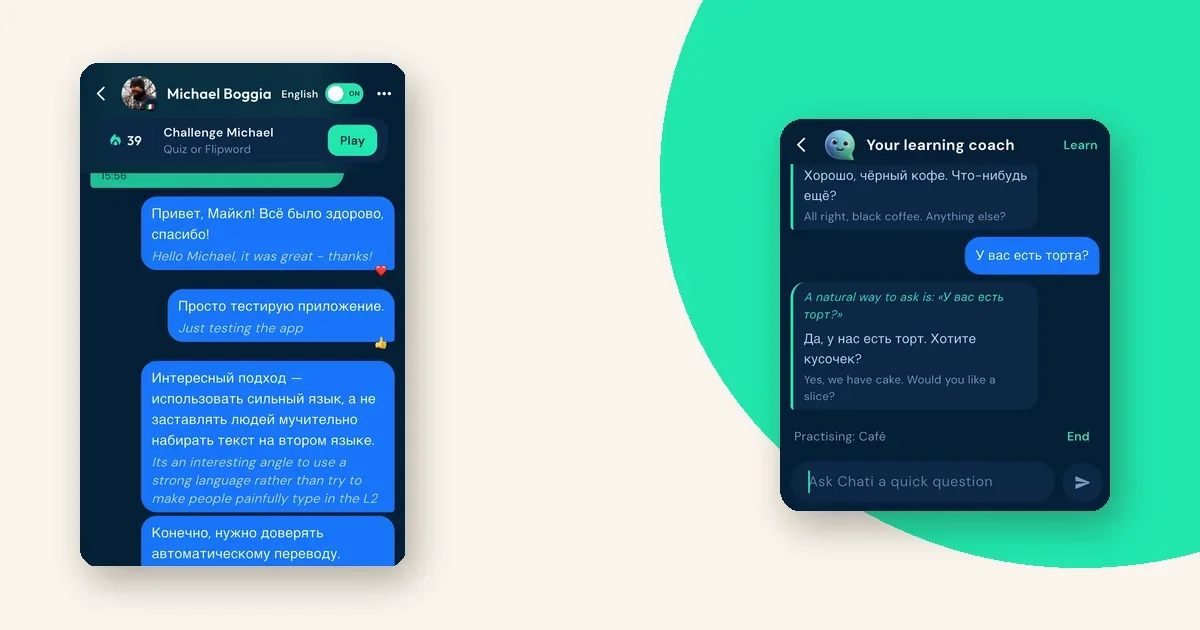
Chatlator is a messaging app for language learners. You chat with the people you already message, but the conversation shows up in the language you're learning.
You write in English, as usual. Your friend reads it in their language, and you read their replies in yours, with English underneath.
Can that really work as practice? Let's find out.
Chatlator paid to have this review expedited, so it skipped the queue. The testing, the opinions and the rating are my own.
What you get
Chatlator is a phone app, free on iPhone and Android. There's no web version.
The core is a chat app. On top of that you get a daily practice quiz built from your own words, games you can challenge a friend to, and Chati, an AI language coach.
Chati answers questions and runs role plays, like ordering in a café, with you as the customer.
Setting it up
Sign-up is quick. You add a photo, pick the language you speak and the one you're learning, then say how good you are.
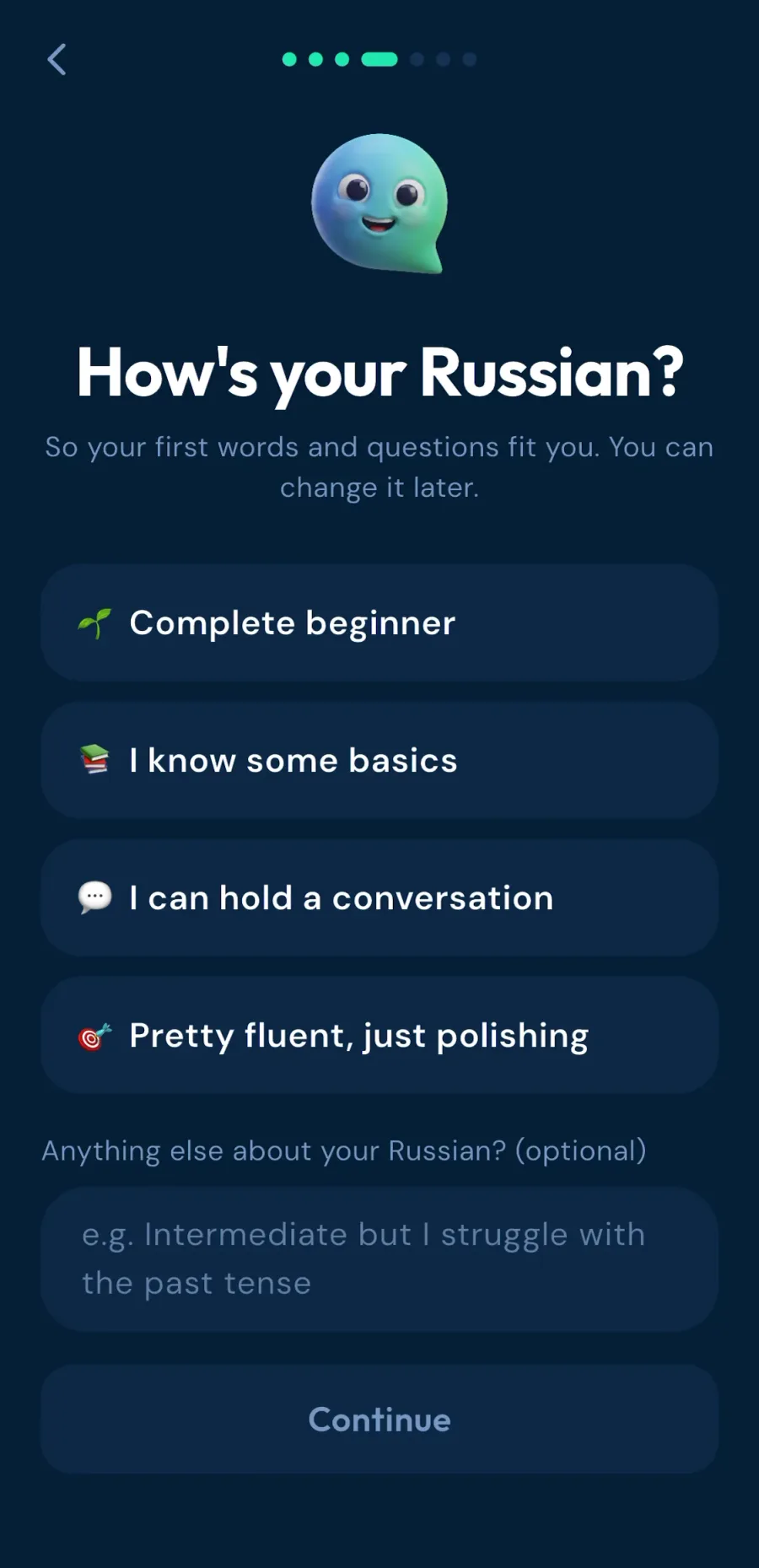
I picked Russian. It has 40 languages, including regional versions like Brazilian Portuguese.
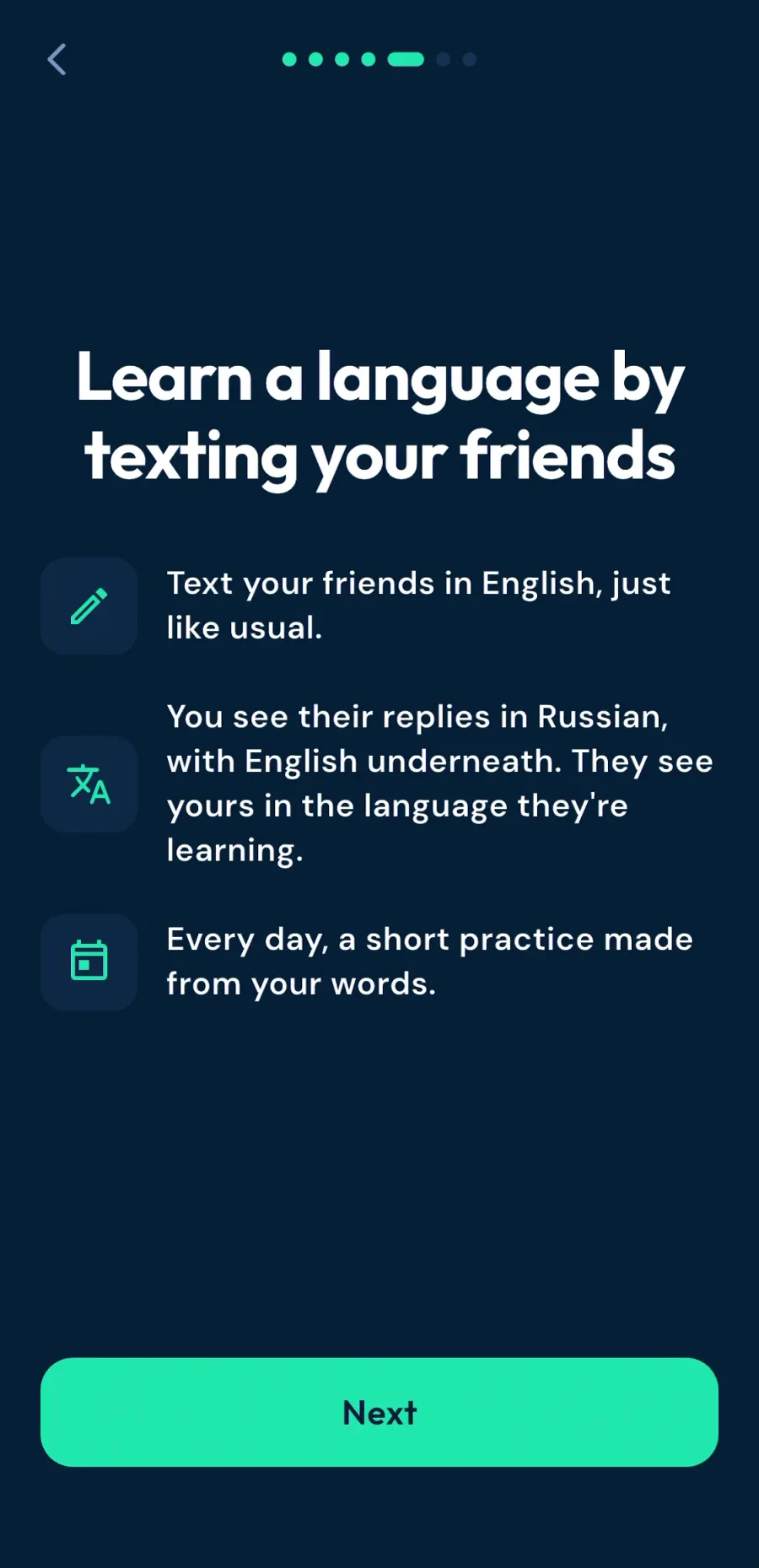
Then it explains the idea in three lines, and gives you an invite code to share with a friend.
The warm-up quiz
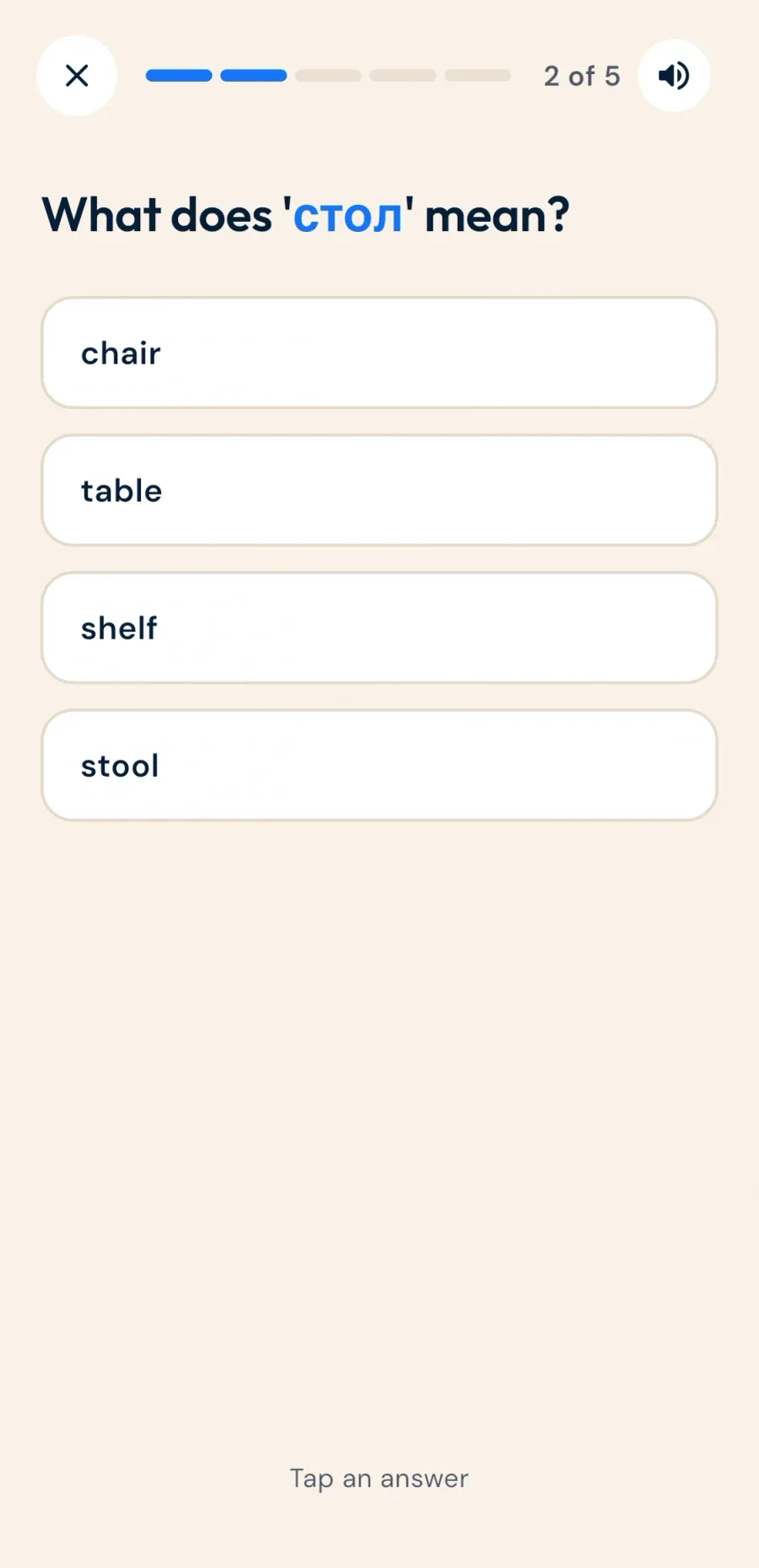
Before you chat, Chati offers a short warm-up. It works like flashcards: a Russian word, four answers, pick one.
The loading screens are long, though. I wasn't sure if it was generating something or if it had broken.
Some kind of indicator would help people here. It's a small fix.
Chatting: the core loop
I chatted with Michael, one of the co-founders. He writes in English, and I see his messages in Russian with English underneath.
My English replies go out in his language. Interesting.
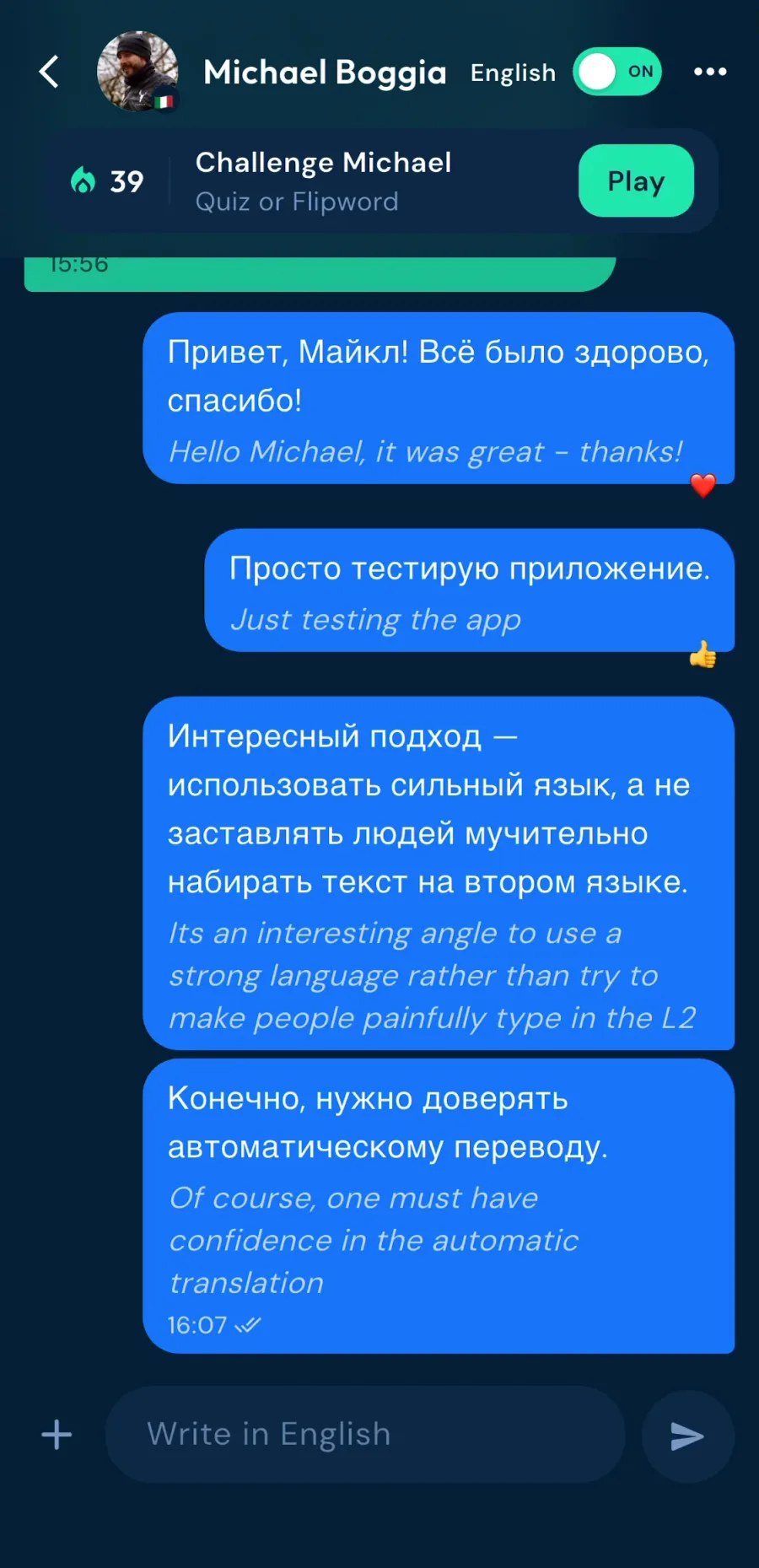
It's an interesting angle. You use your strong language, rather than painfully typing in the one you're learning.
When you want a challenge, you can hide the English and type in Russian. That's cool.
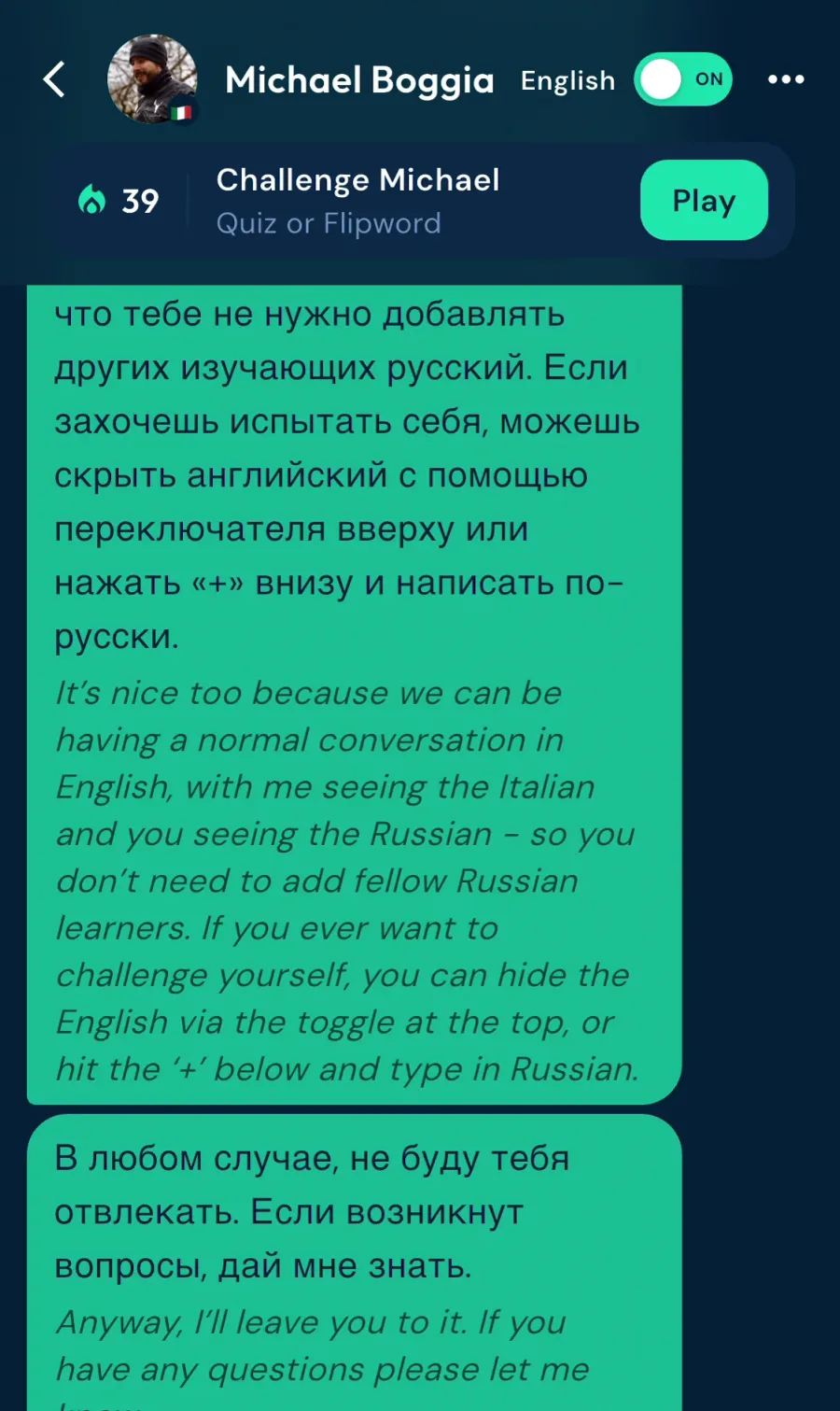
Your partner doesn't need to learn the same language. Michael was reading our chat in Italian while I read it in Russian.
I asked Michael how they check that the translations are accurate.
He says they've spent about two years on that exact problem. Chatlator translates in two layers: a basic translation, like Google Translate, then an AI layer that tries to add context.
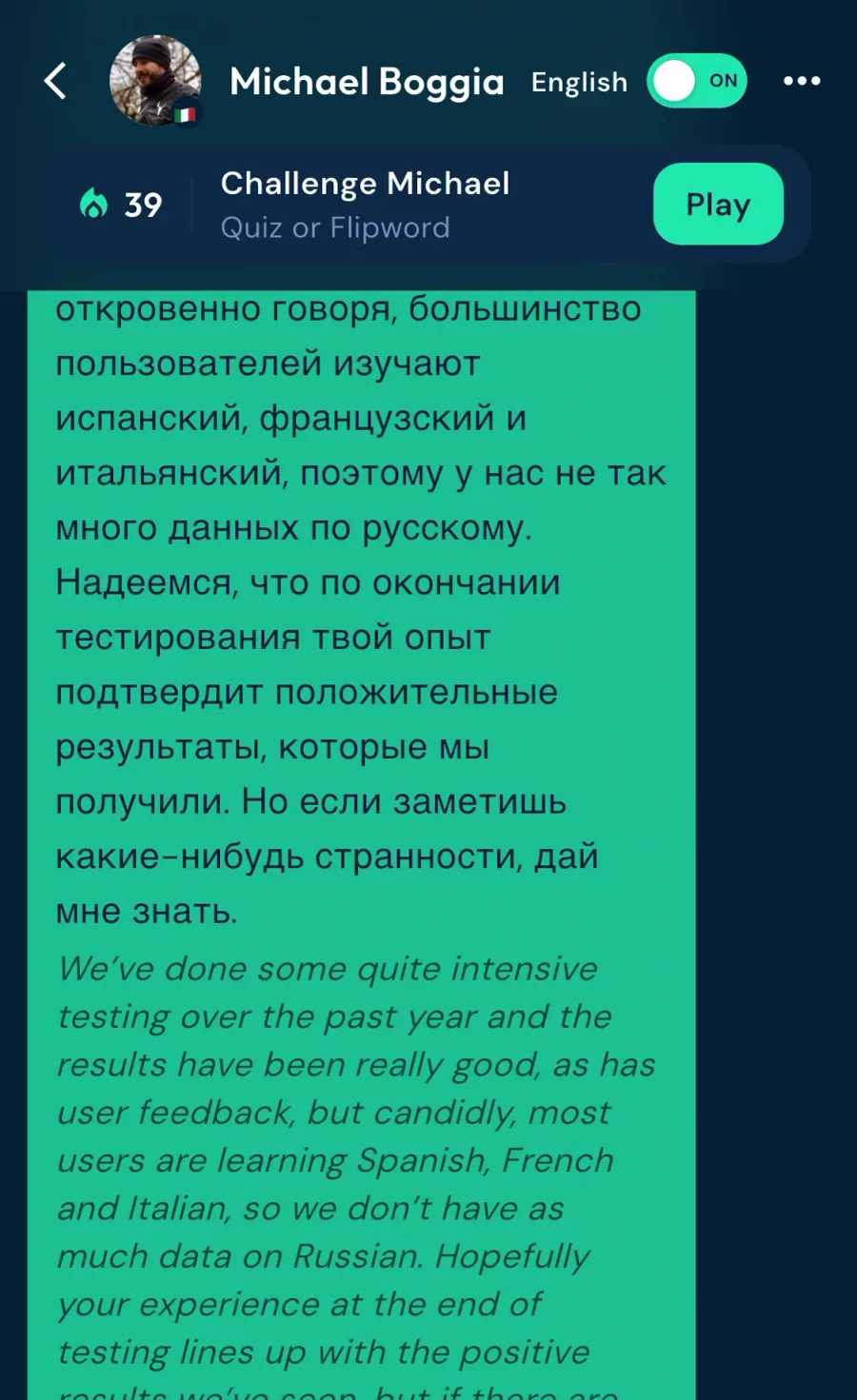
He also told me most of their users learn Spanish, French, Italian, German and Portuguese, so they don't have much data on Russian yet.
So I switched to Spanish from Spain.
Role plays with Chati
The Learn tab has quizzes, role plays, Ask Chati and games to challenge a friend. It's kind of fun that there's a lot of different things you can do.
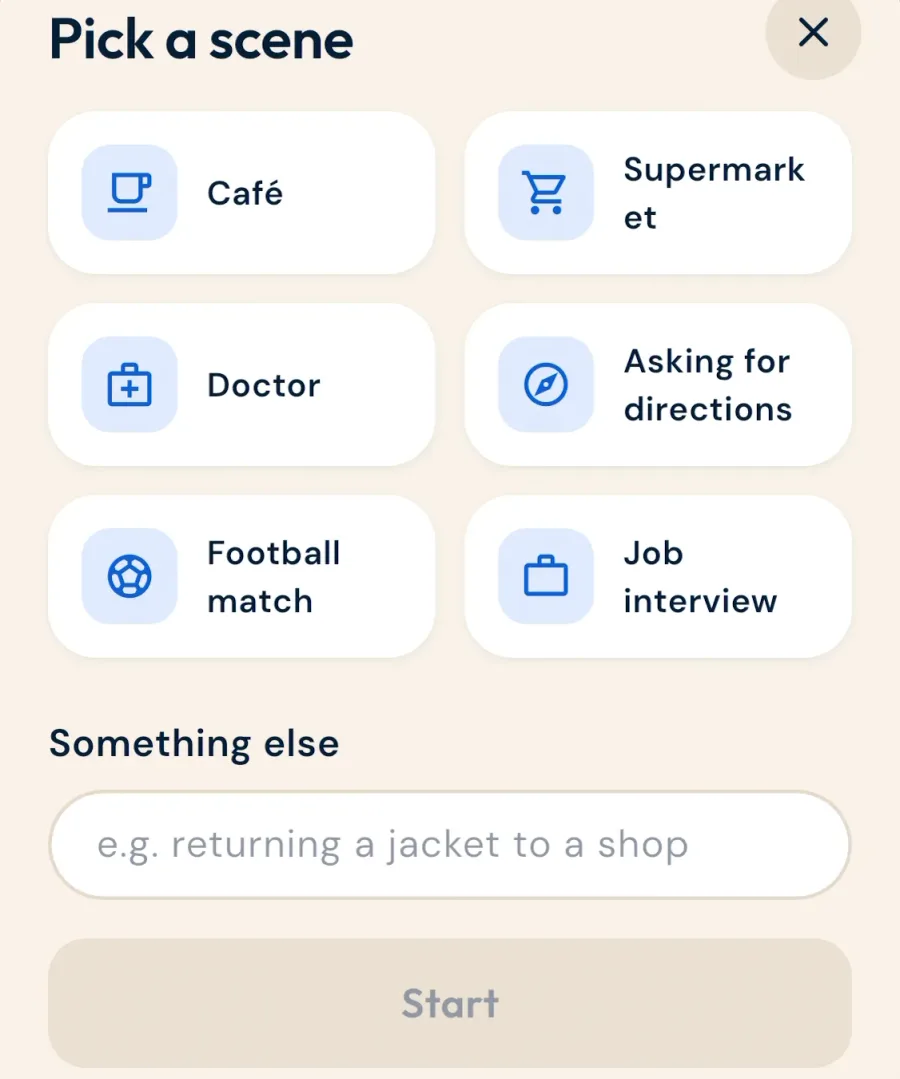
I tried the café role play. Chati is the waiter, I'm the customer, and this time I type in Russian.
When I phrase something oddly, Chati shows a more natural way to say it, then carries on with the scene.
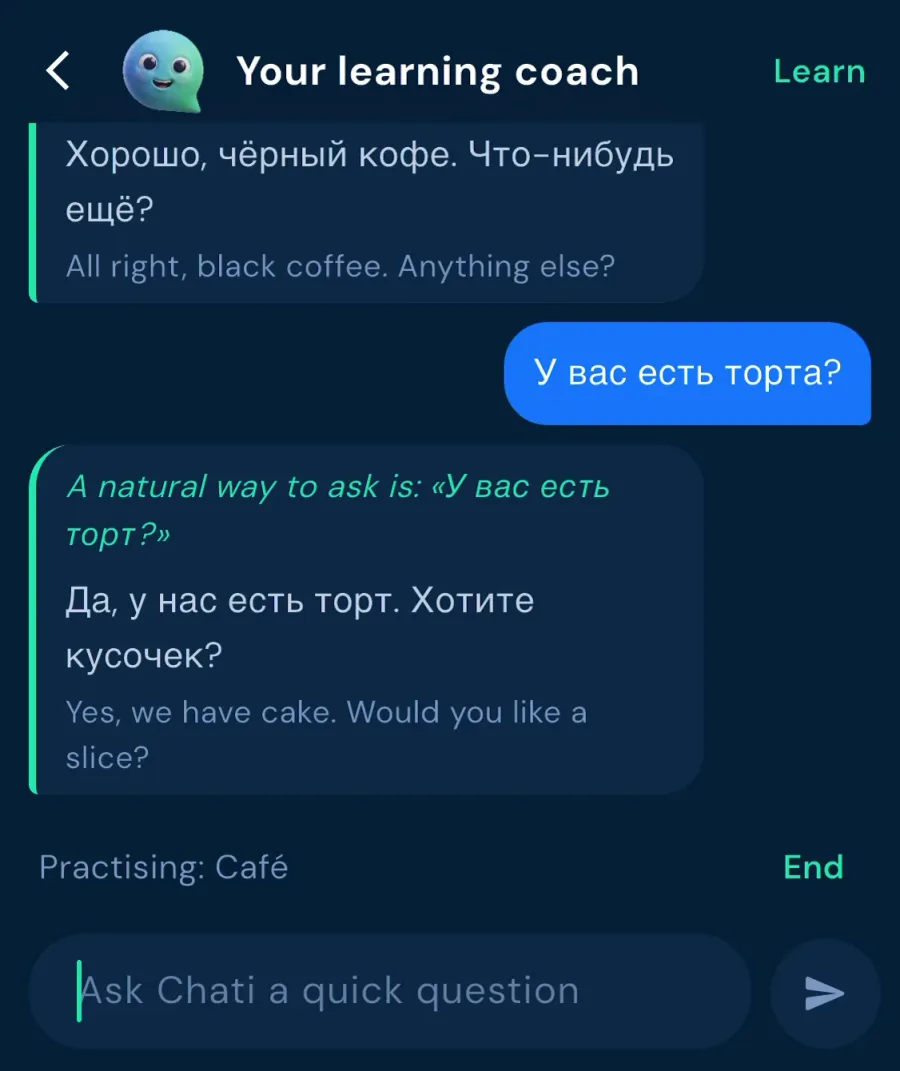
Afterwards you can ask how you did. It caught the spelling mistakes I'd made, and a few commas.
The app leans heavily on AI, but in my testing the output was high quality and life-like.
The only funny part: I told the waiter I only had 200 rubles and was unemployed, hoping for a discount. It just insisted I pay. So in a way, realistic!
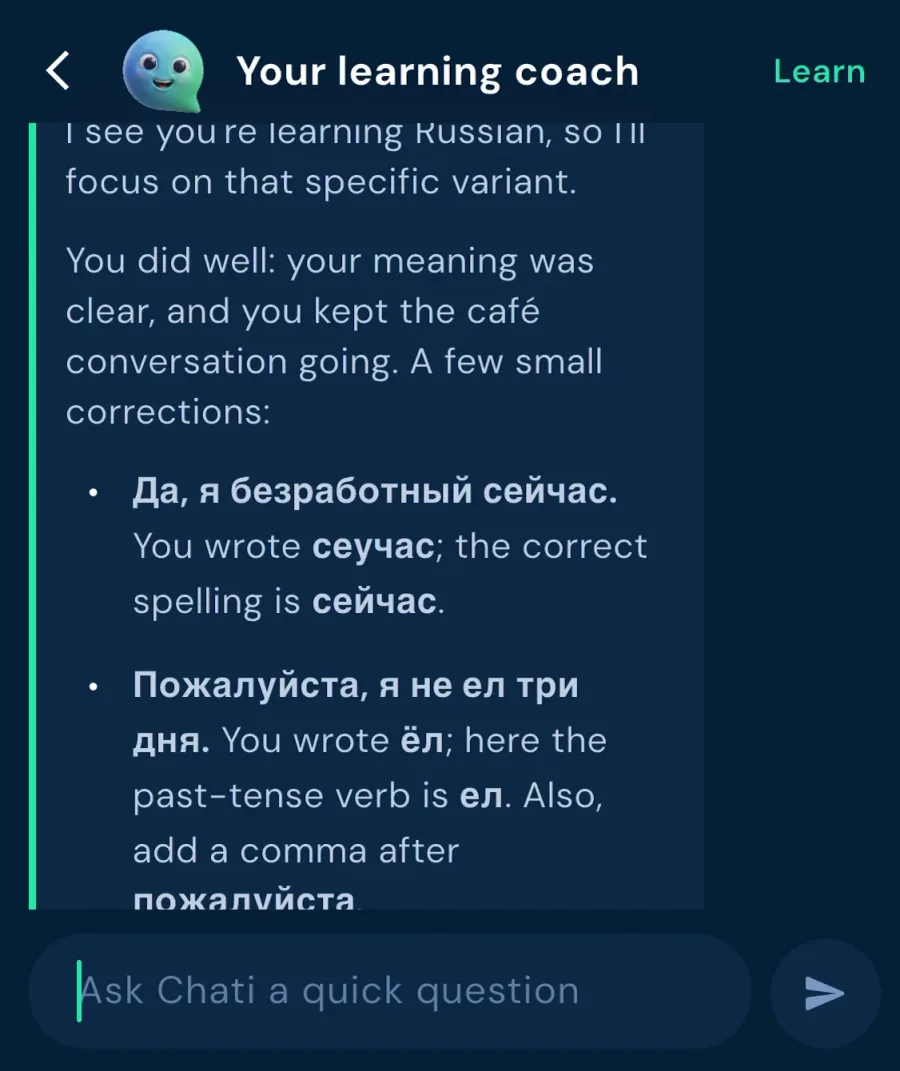
The cool part is that it's a controlled wrapper for AI.
If you're not too technical, you don't want to spend time setting up your own learning environment in ChatGPT or Claude. This is an easy way to start and get some coaching feedback.
Spanish: the Learn section
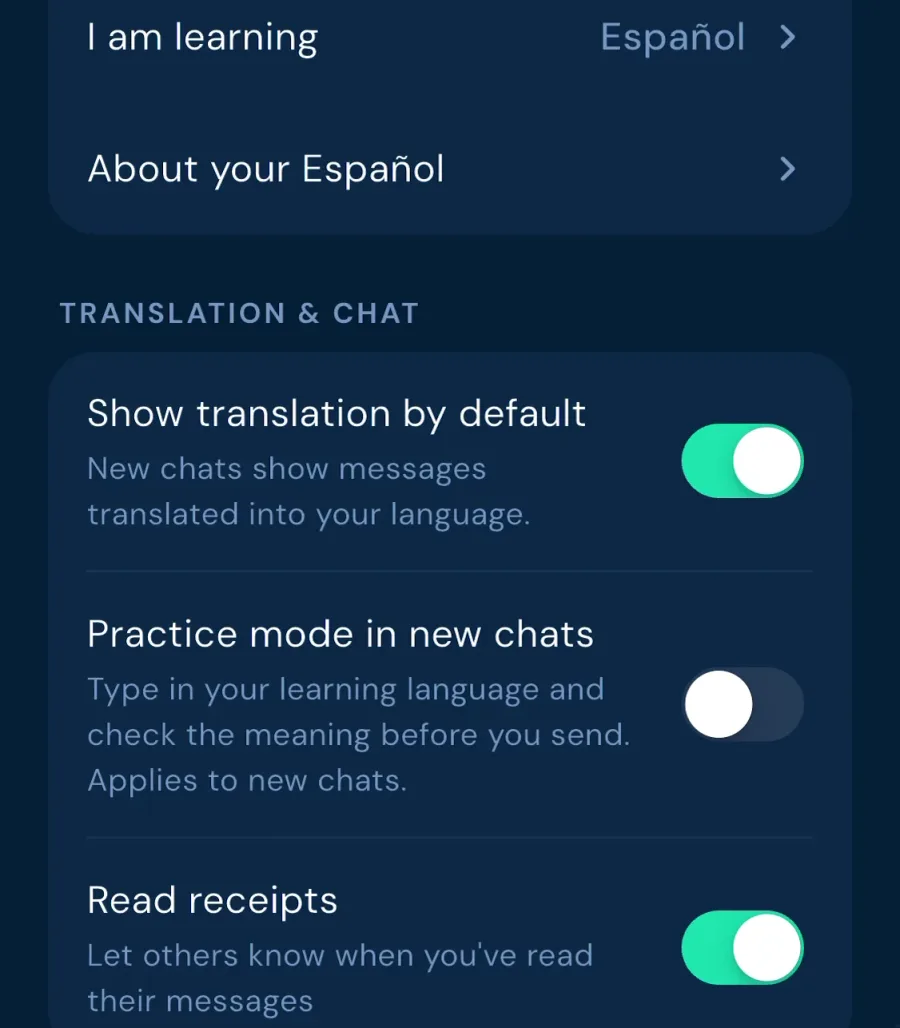
You switch languages in settings. That's also where you can turn the translations off, or turn on practice mode, where you type in your new language and check the meaning before you send.
In Spanish, the Learn section is a lot more expanded. There's a daily practice, a list of words at your level, and the same quizzes, role plays and games.
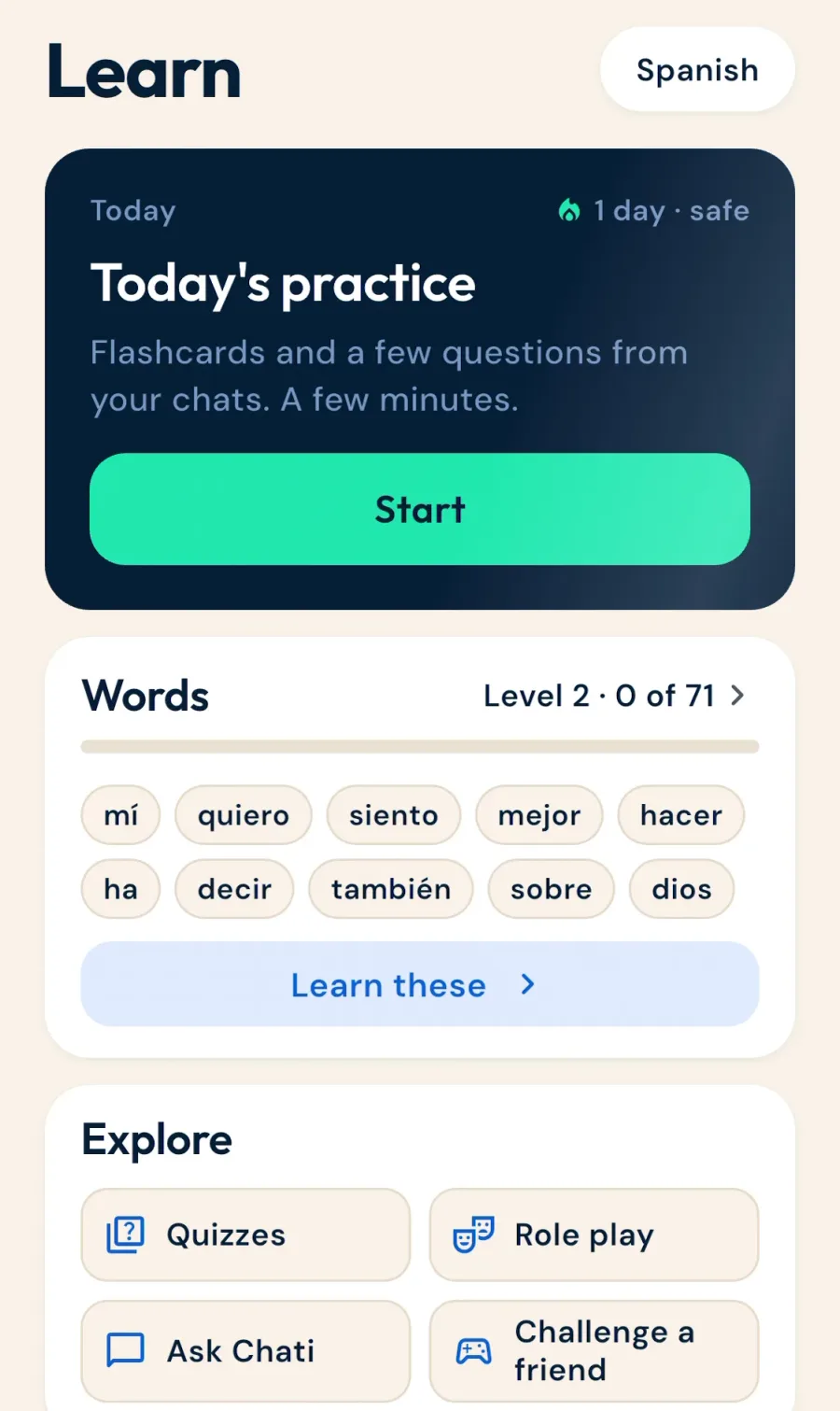
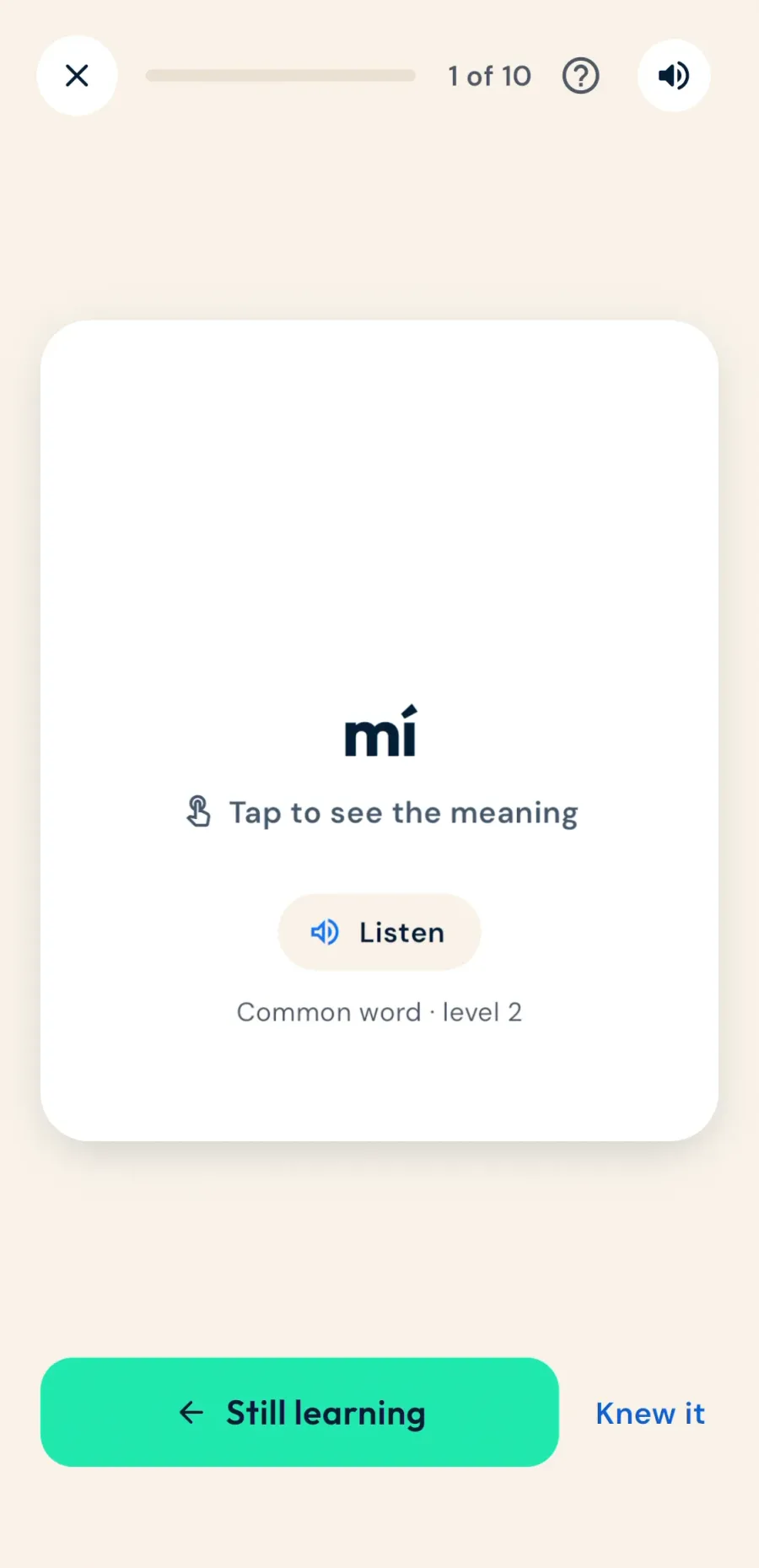
Today's practice is kind of flashcardy. Swipe right and a word goes into your known words. Swipe left and it comes back soon.
Some cards ask what a word means in an example sentence, with a translation once you answer.
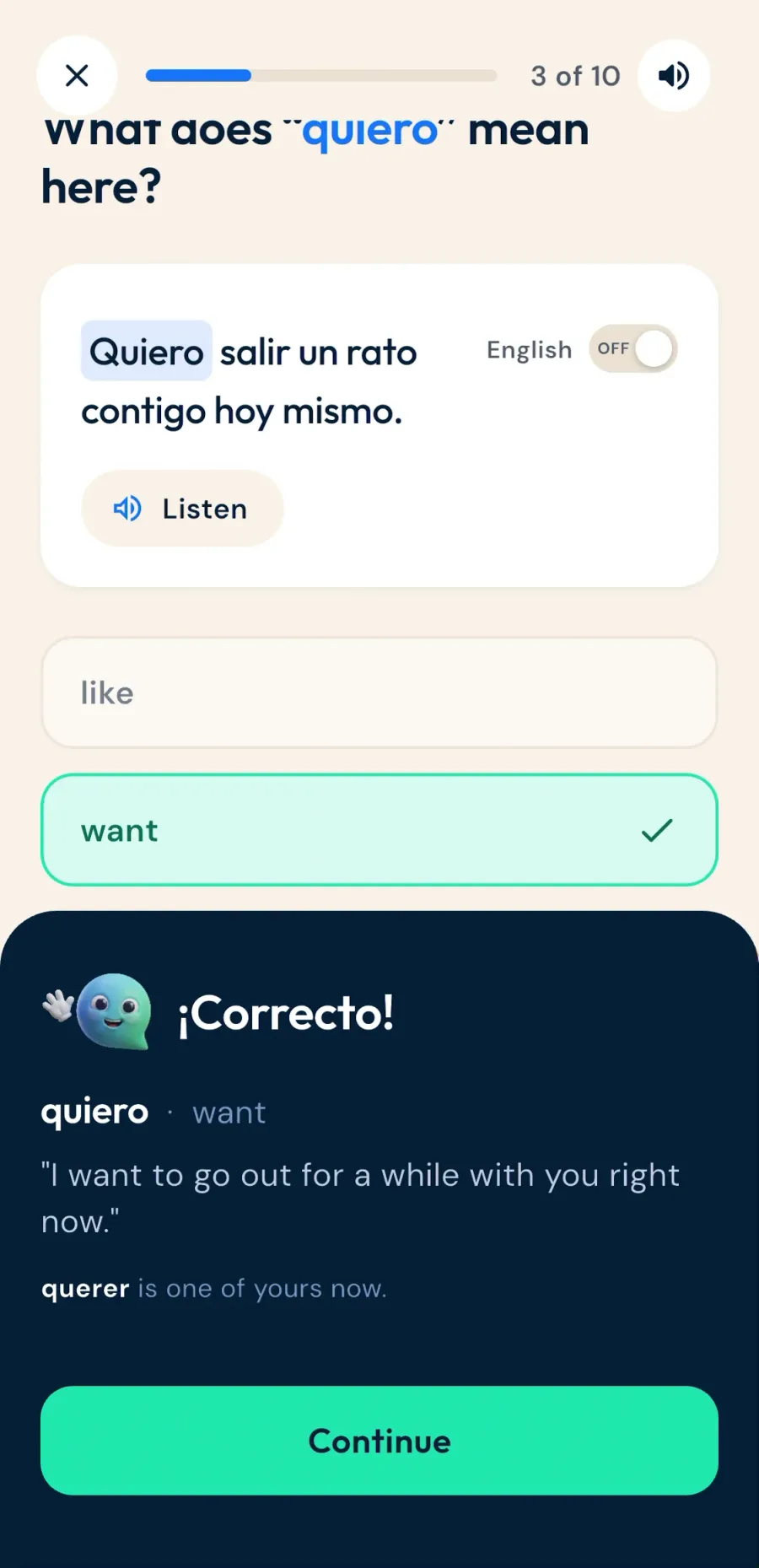
The audio is a nice voice, but it's a little slow. The first one took five or six seconds, like it's generating each one. That could be improved a lot.
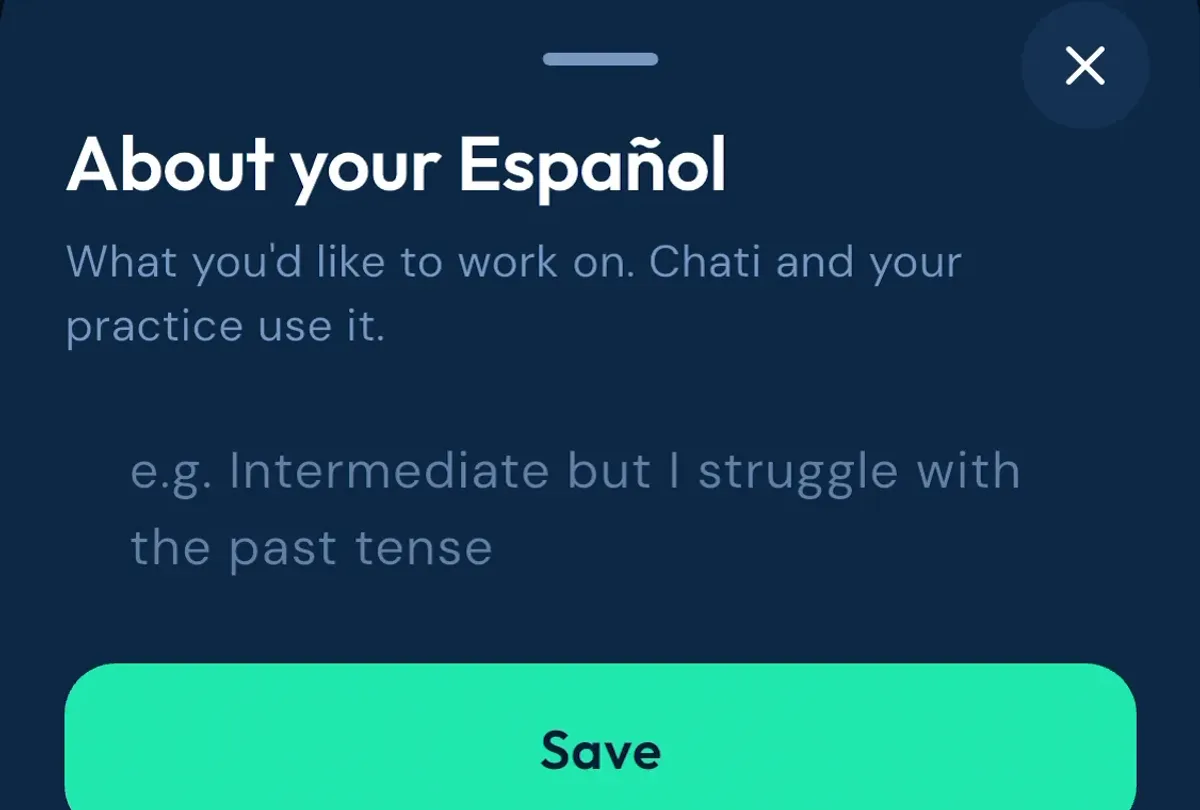
One thing I liked: in settings you can tell Chati what you'd like to work on, so you can pre-prompt the coach with your struggles.
What's good
The idea. You practice with people you already talk to, in conversations you'd have anyway.
A lot of apps have tried language partnerships and exchanges. But I don't see why you couldn't get a friend, or someone who's also learning a language, to come on this and use it.
There's a lot going on, and it's fun to switch between the different little mini games. It's easy to do a little bit of learning every day.
And it works as a language coach. You don't need to know anything about AI or prompting to use it, and it seems really well configured.
What's missing
Smaller languages like Russian don't have as much as the big ones yet.
The wait times. The loading screens need some kind of indicator, and the flashcard audio is slow.
Chatlator says the slow first load only happens in languages outside its core five, and that its next release adds a progress indicator.
And apart from the people you chat with, there's no human input. The translations, flashcards and coaching are all automatic.
That matters most for the translations. We don't really produce language by translating, especially between languages as different as English and Russian. Chatlator's two-layer approach is their answer to that.
How it compares
- HelloTalk and Tandem match you with strangers for language exchange. Chatlator is for people you already talk to.
- Duolingo and Busuu teach you with lessons. Chatlator is practice between lessons.
Michael wrote more about the thinking behind the app in his guest post on turning everyday conversations into language practice.
Pricing
Chatlator is free on iPhone and Android. The US App Store lists no in-app purchases (checked 1 November 2026).
Chatlator says it'll stay free for now, with a paid tier planned at some point.
Who it's for
Learners with a friend, partner or relative who'll chat with them in the app. Ideally someone learning a language too.
Anyone curious about AI coaching who doesn't want to set it up themselves.
Who it isn't for
If there's nobody you can get on the app, you'll miss the main feature.
And it won't teach you a language from scratch. It's practice on top of your lessons.
Verdict
All in all, Chatlator is a pretty good app. I'll give it four out of five for what it is right now.
It has high potential, and if you have a friend you can write to, it's a good idea. And it's a language coach you don't need to set up yourself.
I'm looking forward to seeing where it goes. Chatlator is free, so it costs nothing to try.
An alternative
If you'd rather practice speaking than texting, Teacher AI lets you talk out loud with AI versions of real teachers, in over 60 languages.
Frequently Asked Questions
Chatlator
Best for: Learners with a friend, partner or relative who'll chat with them in the app
Visit ChatlatorRelated Resources
See all →

Some links on this page are affiliate links, so I may earn a commission if you sign up.